
Reviews
Ihre Grafiken verleihen meinen Präsentationen eine nette Note, und ich habe sie kürzlich für eines meiner All-Hands-Meetings verwendet. Ihre Toolbox verleiht meinen Folien Professionalität, anstatt Standard-Clipart zu verwenden.
Ich brauchte einen neuen Blick auf einige meiner Folien. Ich habe versucht, einen Weg zu finden, einen Pinselschlag-Effekt zu erzielen, um zu unterstreichen, hervorzuheben, Farbe hinzuzufügen, und die handgeschriebenen Markierungen waren genau das Richtige. Sehr einfach zu bedienen, leicht in der Größe zu ändern, die Farbe zu ändern. Es war eine erschwingliche, perfekte Lösung und ich empfehle sie gerne weiter.
Die klare, saubere Optik der Grafiken und die Tatsache, dass ich die Farben leicht bearbeiten und an die Vorlage anpassen konnte, war mein Hauptgrund für den Kauf.
Description
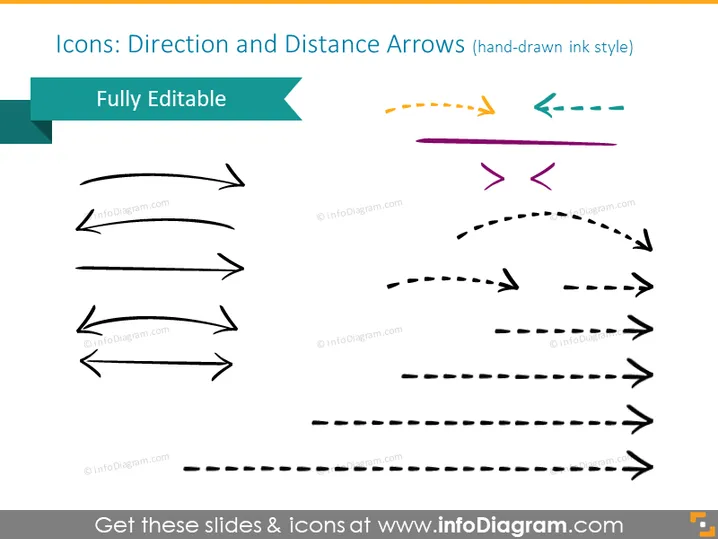
Icons: Direction and Distance Arrows (hand-drawn ink style)
Slide Content
The PowerPoint slide is dedicated to a collection of hand-drawn ink style icons showing various direction and distance arrows. Each icon exemplifies different styles and directions, suggesting versatility for direction pointing or indicating processes and workflows in documents or presentations. The term "Fully Editable" indicates that these arrow icons can be customized according to need.
Graphical Look
- The slide background is plain white which enhances the visibility of the icons.
- The slide title is at the top in a large, bold, black font which makes it stand out.
- A teal ribbon element is behind the "Fully Editable" text, suggesting that the content is customizable.
- A variety of arrow icons in different shapes and styles are shown, including straight, curved, dashed, and bidirectional arrows.
- Arrows are displayed in multiple orientations and appear to be in four columns with varying lengths and curves.
- The colors of the arrows include black, orange, purple, and teal, which stand out against the white background.
The slide has a clean and straightforward layout, with a strong contrast between the white background and colorful arrow icons. The hand-drawn style of the icons adds an informal, creative touch to the visual design of the slide.
Use Cases
- To illustrate different pathways or processes in a business strategy presentation.
- For highlighting movements or transitions in project timelines or roadmaps.
- To emphasize various options or alternative routes in decision-making diagrams.
- As visual aids in instructional materials to guide the audience through step-by-step instructions.
How to Edit
How to edit text & colors

How to expand / shorten diagram

How to Replace Icons in infoDiagram PPT


