
Reviews
Your slides are my "secret sauce" when it comes to presenting my ideas to clients. I save a lot of time.
J'avais un délai de livraison à respecter et je n'avais pas le temps de créer une variété de modèles de diapositives. Infodiagram m'a proposé des options faciles à télécharger et à personnaliser en fonction de mes besoins !
Vos diapositives suscitent souvent de précieux commentaires et idées de la part de mon équipe, ce qui améliore les diapositives finales.
Description
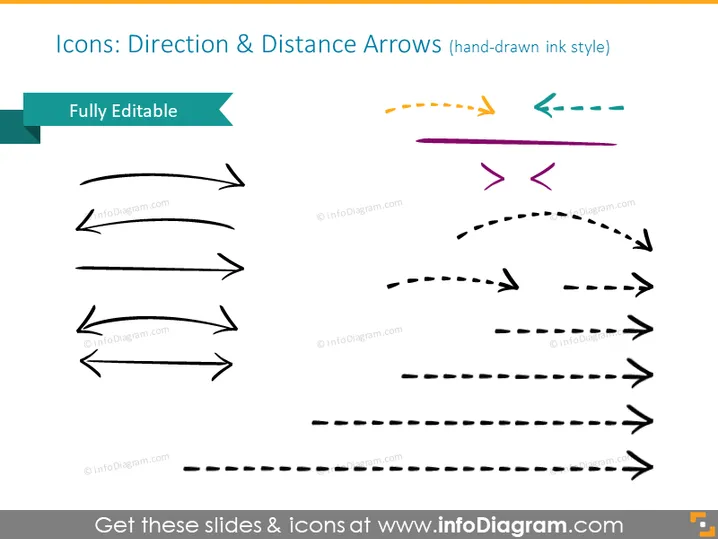
Icons: Direction & Distance Arrows (hand-drawn ink style)
Slide Content
The PowerPoint slide is a collection of arrow icons that depict various directions and distances in a hand-drawn ink style, suggesting a less formal, creative approach compared to classic arrow designs. The text label 'Fully Editable' indicates that these icons can be customized according to the user's preferences. The arrows vary in style, with some featuring dashed lines, curves, or double-ended points, representing different types of movement or connections.
Graphical Look
- The title is bold and centrally aligned at the top of the slide.
- An aqua-colored banner on the left side displays 'Fully Editable,' indicating that the arrows are customizable.
- A collection of arrow icons is scattered across the slide, with different styles, including solid, dashed, curved, and angled arrows.
- The arrows come in various colors like black, yellow, teal, and purple.
- Icons are organized in three columns, with each column displaying a unique set of arrow styles.
- The layout is simple with a focus on the icons themselves, allowing for clear interpretation of the arrow types. The overall look is colorful with a casual aesthetic, emphasizing the creative and editable nature of the icons. The clean background ensures the focus remains on the hand-drawn style arrows.
Use Cases
- To illustrate different paths or processes in a business strategy or project plan.
- To emphasize flexibility and creativity in brainstorming sessions by using less formal iconography.
- For mapping out workflows or directional steps in a user journey or customer experience diagram.
- To add a personal touch to presentations that require indicating movement, trends, or directions without the rigidity of traditional arrow graphics.
How to Edit
How to edit text & colors

How to expand / shorten diagram

How to Replace Icons in infoDiagram PPT


