
Reviews
Ihre Grafiken verleihen meinen Präsentationen eine nette Note, und ich habe sie kürzlich für eines meiner All-Hands-Meetings verwendet. Ihre Toolbox verleiht meinen Folien Professionalität, anstatt Standard-Clipart zu verwenden.
Ich brauchte einen neuen Blick auf einige meiner Folien. Ich habe versucht, einen Weg zu finden, einen Pinselschlag-Effekt zu erzielen, um zu unterstreichen, hervorzuheben, Farbe hinzuzufügen, und die handgeschriebenen Markierungen waren genau das Richtige. Sehr einfach zu bedienen, leicht in der Größe zu ändern, die Farbe zu ändern. Es war eine erschwingliche, perfekte Lösung und ich empfehle sie gerne weiter.
Die klare, saubere Optik der Grafiken und die Tatsache, dass ich die Farben leicht bearbeiten und an die Vorlage anpassen konnte, war mein Hauptgrund für den Kauf.
Description
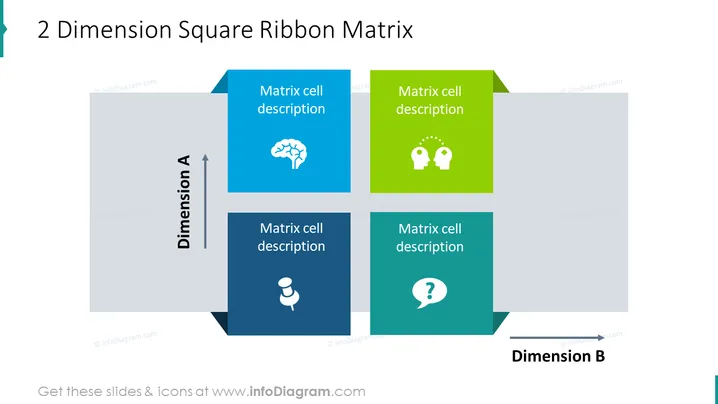
2 Dimension Square Ribbon Matrix
Slide Content
The slide is titled "2 Dimension Square Ribbon Matrix" and features a 2x2 matrix with each cell containing a unique icon and placeholder text "Matrix cell description." The matrix is designed to represent a conceptual framework analyzing two different dimensions, Dimension A and Dimension B, which intersect to create four quadrants for analysis. Each quadrant includes an icon representing different concepts—brain, light bulbs, user, and question mark—potentially symbolizing thinking, ideas, user focus, and inquiry.
Graphical Look
- Four colored squares arranged in a 2x2 matrix formation, each with a unique color (blue, green, dark blue, teal).
- Each square has a white icon in the center, representing different concepts.
- Placeholder text "Matrix cell description" in each square suggests customization for specific content is intended.
- Arrows pointing up and to the right are labeled "Dimension A" and "Dimension B" respectively, indicating axes of analysis.
- A slight shadow effect behind the squares, giving a sense of depth.
- The squares are connected by a ribbon-like graphical element which visually separates the matrix cells and acts as a subtle background element.
The overall look of the slide is modern and clean, with a professional color scheme and simple icons that allow for easy interpretation of the matrix. The ribbon connecting the squares provides a cohesive design element that guides the eye through the matrix.
Use Cases
- To compare and contrast products, services, strategies, or concepts based on two key criteria.
- In strategic planning sessions to map out different business scenarios or strategies.
- For training and educational presentations to explain theoretical frameworks or business models.
- In marketing to position products against competitors on multiple dimensions, such as features and target audience.
How to Edit
How to edit text & colors

How to expand / shorten diagram

How to Replace Icons in infoDiagram PPT


