
Reviews
Sus gráficos añaden un toque agradable a mis presentaciones y recientemente los usé para una de mis reuniones generales. Su conjunto de herramientas añade profesionalismo a mis diapositivas. En lugar de usar imágenes prediseñadas estándar.
Necesitaba un aspecto fresco para algunas de mis diapositivas. Había intentado encontrar una forma de crear un efecto de pincel, de subrayar, acentuar, añadir algo de color y los marcadores escritos a mano fueron justo lo que necesitaba. Muy fácil de usar, fácil de ajustar el tamaño, cambiar el color. Fue una solución asequible y perfecta, y estoy feliz de recomendarla.
El aspecto nítido y limpio de los gráficos, y el hecho de que me permitiera editar y cambiar fácilmente los colores para que coincidieran con la plantilla fue mi principal razón para comprarlos.
Description
2 x 2 Dimension Square Outlined Matrix Diagram
Slide Content
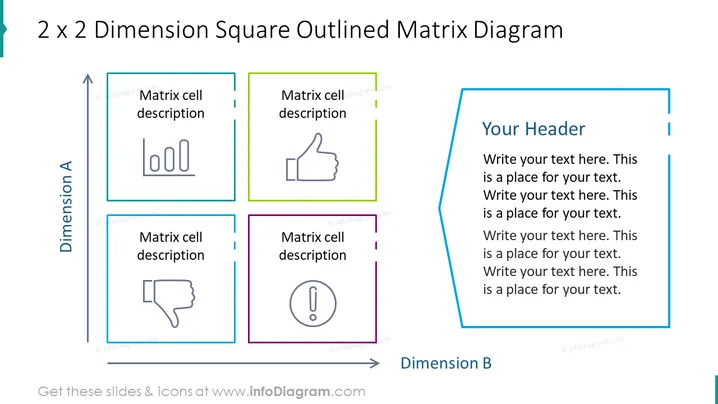
The slide is titled "2 x 2 Dimension Square Outlined Matrix Diagram" and it's designed to categorize or compare concepts along two dimensions, Dimension A and Dimension B, in a matrix format. The slide contains a 2x2 matrix with each cell having a placeholder for a "Matrix cell description" and an icon representing a bar chart, a thumbs-up, a thumbs-down, and an exclamation mark, respectively, allowing the presenter to elaborate on different scenarios or statuses.
Graphical Look
- The slide has a large title at the top in teal color.
- A two-dimensional matrix with a vertical axis labeled "Dimension A" and a horizontal axis labeled "Dimension B."
- Four outlined boxes are presented in different colors (teal, green, purple, and blue) representing the matrix cells.
- Each cell contains a grayscale icon and space for a text description.
- There is an additional text box on the right-hand side with a prominent blue outline that contains placeholder text titled "Your Header."
- The slide background is white, providing a clean and neutral backdrop for the content.
The overall look of the slide is clean and professional with a color-coded system for clarity. The different colored outlines and icons help to distinguish between the matrix elements.
Use Cases
- To illustrate different strategies or models in a business context by comparing them across two dimensions.
- In marketing presentations to evaluate various target segments or product placements.
- During project management meetings to assess risk and impact in a simple visual format.
- For educational purposes to teach matrix concepts and facilitate discussion on quadrants and their corresponding characteristics.
How to Edit
How to edit text & colors

How to expand / shorten diagram

How to Replace Icons in infoDiagram PPT


