
Reviews
Your graphics add a nice touch to my presentations and I recently used them for one of my all-hands meetings. Your toolbox adds professionalism to my slides. Instead of using standard clipart.
I needed a fresh look at some of my slides. I've tried to find a way to create a paintbrush effect, to underline, accentuate, add some color and the handwritten markers were just the things. Very easy to use, easy to size, change the color. It was an affordable, perfect solution and I'm happy to recommend it.
The crisp, clean look of the graphics, and the fact that it allowed me to easily edit and change the colors to match the template was my main reason for purchasing them.
Description
Digital Shopping Icons
Slide Content
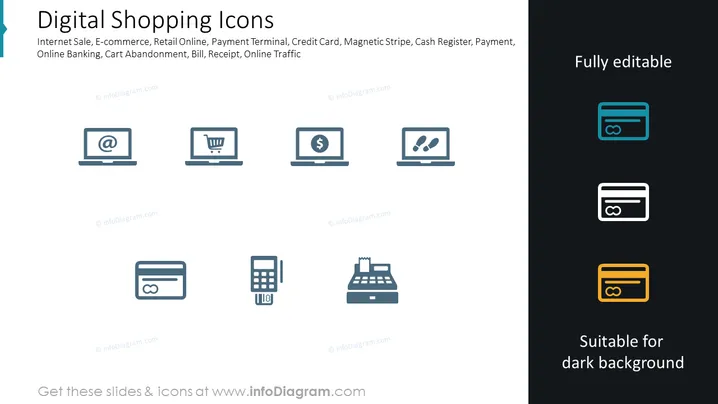
The slide presents a collection of icons related to digital shopping, including Internet Sale, E-commerce, Retail Online, Payment Terminal, Credit Card, Magnetic Stripe, Cash Register, Payment, Online Banking, Cart Abandonment, Bill, Receipt, and Online Traffic. Each icon is intended to visually represent these concepts such as Internet Sale (a laptop with an "@" sign to indicate online activity), E-commerce (a shopping cart on a monitor representing online shopping), or Payment Terminal (a digital pad with numbers, hinting at a point of sale system).
Graphical Look
- The slide background is plain white.
- The slide's title "Digital Shopping Icons" is positioned at the top left.
- A series of keywords related to digital shopping are listed beneath the slide title.
- There are eight icons arranged in two rows of four, each depicting a different aspect of digital shopping.
- Each icon is a simple, two-dimensional gray graphic, set within a dark teal circle.
- To the right are three icons in different color variations labeled "Fully editable" and "Suitable for dark background."
- The icon designs are minimalist and easily recognizable, using common digital shopping and payment symbols.
The slide has a clean and modern design, with a strong contrast between the icons and the background. The arrangement offers a visually balanced and easily understandable collection of related graphics.
Use Cases
- To enhance a presentation discussing e-commerce trends and best practices.
- As a visual aid during a pitch for an online shopping platform or app.
- To visually summarize different methods of digital payment in a financial services meeting.
- During a training session, to introduce employees to the icons they may encounter in an e-commerce software toolset.
How to Edit
How to edit text & colors

How to expand / shorten diagram

How to Replace Icons in infoDiagram PPT


