
Reviews
Your graphics add a nice touch to my presentations and I recently used them for one of my all-hands meetings. Your toolbox adds professionalism to my slides. Instead of using standard clipart.
I needed a fresh look at some of my slides. I've tried to find a way to create a paintbrush effect, to underline, accentuate, add some color and the handwritten markers were just the things. Very easy to use, easy to size, change the color. It was an affordable, perfect solution and I'm happy to recommend it.
The crisp, clean look of the graphics, and the fact that it allowed me to easily edit and change the colors to match the template was my main reason for purchasing them.
Description
Digital Co-working Success Elements
Slide Content
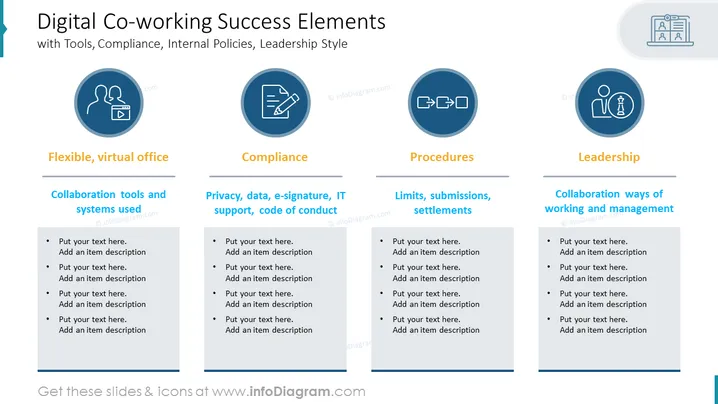
The slide is titled "Digital Co-working Success Elements" and it discusses the various components crucial for effective digital co-working, such as flexible virtual office setups, compliance with privacy and IT policies, adherence to procedures, and leadership style. Each element is broken down into further details: "Flexible, virtual office" emphasizes the importance of collaboration tools and systems; "Compliance" focuses on privacy, data security, and code of conduct; "Procedures" deals with limits and submissions; and "Leadership" offers insight into collaborative management approaches.
Graphical Look
- The slide background is white with a subtle shadow at the top.
- The title is in dark blue font.
- There are four main content blocks arranged in a grid layout, each with a dark blue circle icon at the top.
- Each icon is centered within a light blue filled circle with a dark blue border.
- The first icon from the left represents collaboration, showing two avatars and a video/play symbol.
- The second icon signifies compliance, represented by a clipboard and a pen.
- The third icon depicts procedures through interacting gears.
- The fourth icon illustrates leadership with an icon of a person and a presentation screen.
- Each content block has its own heading below the corresponding icon in bold, dark blue font.
- The descriptions for each block are in smaller dark blue font and consist of placeholders for customized text marked "Put your text here. Add an item description."
- Thin dark blue lines are under the headings, separating them from the description placeholders.
The slide has a clean, corporate design with a clear, organized structure that facilitates readability and focus on the distinct categories.
Use Cases
- Presenting the framework for a digital collaboration environment in company meetings.
- Outlining the key elements of a successful remote work policy during a staff training session.
- Detailing the organizational standards and expectations for digital co-working in an internal operations review.
- Use in webinars or seminars to educate about best practices in managing co-working spaces or digital team collaboration strategies.
How to Edit
How to edit text & colors

How to expand / shorten diagram

How to Replace Icons in infoDiagram PPT


