
Reviews
Ihre Grafiken verleihen meinen Präsentationen eine nette Note, und ich habe sie kürzlich für eines meiner All-Hands-Meetings verwendet. Ihre Toolbox verleiht meinen Folien Professionalität, anstatt Standard-Clipart zu verwenden.
Ich brauchte einen neuen Blick auf einige meiner Folien. Ich habe versucht, einen Weg zu finden, einen Pinselschlag-Effekt zu erzielen, um zu unterstreichen, hervorzuheben, Farbe hinzuzufügen, und die handgeschriebenen Markierungen waren genau das Richtige. Sehr einfach zu bedienen, leicht in der Größe zu ändern, die Farbe zu ändern. Es war eine erschwingliche, perfekte Lösung und ich empfehle sie gerne weiter.
Die klare, saubere Optik der Grafiken und die Tatsache, dass ich die Farben leicht bearbeiten und an die Vorlage anpassen konnte, war mein Hauptgrund für den Kauf.
Description
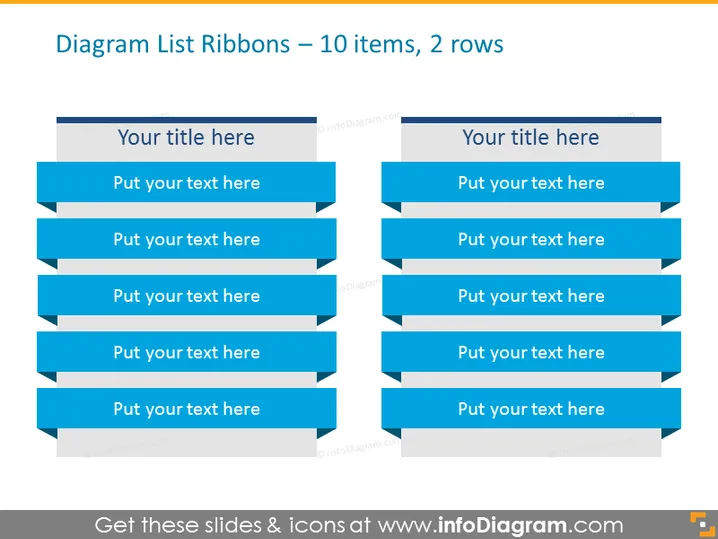
Diagram List Ribbons – 10 items, 2 rows
Slide Content
The slide depicts a diagram format for listing items, specifically designed to accommodate 10 items across 2 rows. Each row consists of five placeholders shaped like ribbons where text can be entered. The placeholders indicate where a user can add their specific content, such as features, steps, or any listable information. These ribbon placeholders serve to organize and present information in a visually appealing and structured manner, which could provide clear segmentation of ideas or tasks within a presentation.
Graphical Look
- The slide background is plain white.
- There are ten ribbon-shaped text boxes with a solid fill of a medium blue color.
- Each text box contains a placeholder text "Put your text here" in a white, sans-serif font.
- The ribbons have a folded effect on the right side, giving the appearance of a three-dimensional banner.
- Each row of ribbons is preceded by a darker blue, rectangular shape with placeholder text "Your title here" in a larger, bold, sans-serif font.
The slide features a clean, professional design with a blue color theme. The use of ribbons adds a dynamic and modern touch to the information presentation.
Use Cases
- To showcase a list of features or benefits of a product or service in a marketing or sales presentation.
- To outline steps in a process or strategy during a business or project management meeting.
- To summarize research findings or statistical data in a report delivered to stakeholders or during an academic presentation.
- To present a comparison of two sets of five items in scenarios such as competitive analysis or product differentiation discussions.
How to Edit
How to edit text & colors

How to expand / shorten diagram

How to Replace Icons in infoDiagram PPT


