
Reviews
Sus gráficos añaden un toque agradable a mis presentaciones y recientemente los usé para una de mis reuniones generales. Su conjunto de herramientas añade profesionalismo a mis diapositivas. En lugar de usar imágenes prediseñadas estándar.
Necesitaba un aspecto fresco para algunas de mis diapositivas. Había intentado encontrar una forma de crear un efecto de pincel, de subrayar, acentuar, añadir algo de color y los marcadores escritos a mano fueron justo lo que necesitaba. Muy fácil de usar, fácil de ajustar el tamaño, cambiar el color. Fue una solución asequible y perfecta, y estoy feliz de recomendarla.
El aspecto nítido y limpio de los gráficos, y el hecho de que me permitiera editar y cambiar fácilmente los colores para que coincidieran con la plantilla fue mi principal razón para comprarlos.
Description
Simple Outline Icons for DevOps
Slide Content
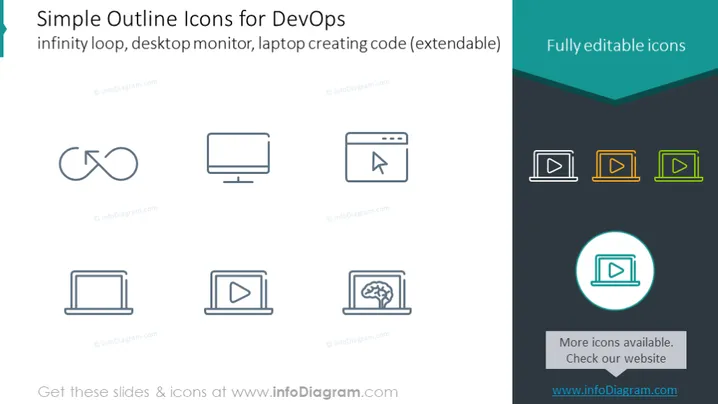
The PowerPoint slide showcases a collection of "Simple Outline Icons for DevOps," specifically, icons that represent the infinity loop, desktop monitor, and laptop creating code with an additional note on their extendability. These pictograms are meant to be fully editable. Each icon is designed to convey a specific concept related to DevOps. The infinity loop suggests the ongoing nature of the development and operations cycle. The desktop monitor icon might represent software or services related to computing. The laptop creating code icon indicates programming or development work possibly in a portable context.
Graphical Look
- The slide background is white with a dark teal wave shape at the top.
- Six icons are distributed evenly across the slide in two rows of three: these include symbols for infinity loop, desktop monitor, cursor with a command prompt, open laptop, play button on a screen (twice in different designs).
- The text and the icons are in gray except the play button icons, which are repeated on the right in yellow, green, and blue colors.
- On the right side, a circular icon with a play button is highlighted with a turquoise circle and a drop shadow effect.
- A small text box to the bottom right with the phrase 'More icons available. Check our website' and a web address.
The overall look of the slide is minimalistic and professional, using a simple color palette and clean iconography to convey the message. The icons are styled consistently with a modern outline aesthetic.
Use Cases
- To introduce or discuss various aspects of DevOps in a corporate training session or workshop.
- As a visual aid in a sales pitch for software development or IT infrastructure tools aimed at the DevOps market.
- In marketing materials to represent the services or features of DevOps solutions.
- Within an internal presentation to describe the workflow or architecture of a DevOps implementation.
How to Edit
How to edit text & colors

How to expand / shorten diagram

How to Replace Icons in infoDiagram PPT


