
Reviews
Ihre Grafiken verleihen meinen Präsentationen eine nette Note, und ich habe sie kürzlich für eines meiner All-Hands-Meetings verwendet. Ihre Toolbox verleiht meinen Folien Professionalität, anstatt Standard-Clipart zu verwenden.
Ich brauchte einen neuen Blick auf einige meiner Folien. Ich habe versucht, einen Weg zu finden, einen Pinselschlag-Effekt zu erzielen, um zu unterstreichen, hervorzuheben, Farbe hinzuzufügen, und die handgeschriebenen Markierungen waren genau das Richtige. Sehr einfach zu bedienen, leicht in der Größe zu ändern, die Farbe zu ändern. Es war eine erschwingliche, perfekte Lösung und ich empfehle sie gerne weiter.
Die klare, saubere Optik der Grafiken und die Tatsache, dass ich die Farben leicht bearbeiten und an die Vorlage anpassen konnte, war mein Hauptgrund für den Kauf.
Description
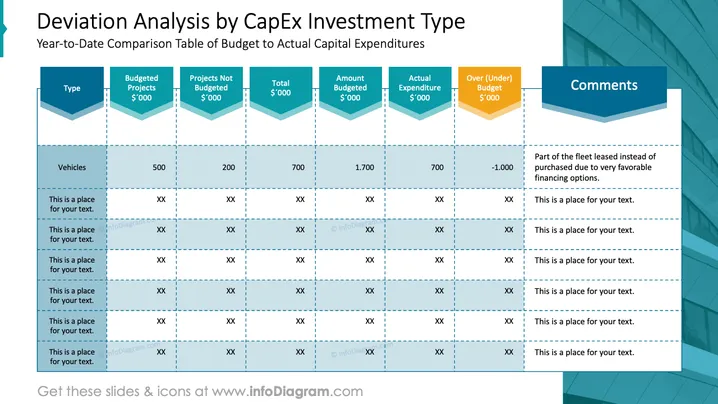
Deviation Analysis by CapEx Investment Type
Slide Content
The slide is a financial chart titled "Deviation Analysis by CapEx Investment Type," presenting a Year-to-Date Comparison Table of Budget to Actual Capital Expenditures. The chart is organized with headings: 'Type,' 'Budgeted Projects,' 'Projects Not Budgeted,' 'Total,' 'Amount Budgeted,' 'Actual Expenditure,' 'Over (Under) Budget,' and 'Comments.' An example row is filled for 'Vehicles,' showing various financial figures in thousands and a note explaining a leasing decision due to favorable financing. Remaining rows contain placeholders for text.
Graphical Look
- The slide's background is white with a slightly transparent overlay that seems to represent an upward trending graph.
- The title is prominently displayed at the top in large dark blue font.
- The subtitles for each column are in bold teal and contained in parallelogram shapes, which give a sense of dimension.
- The content cells have a light blue background with a white border and dashed dividers between rows.
- Two columns use iconography to depict their meaning: a yellow triangle for "Over (Under) Budget" and a teal speech bubble for "Comments."
- Data points and placeholders are marked with "XX" or given specific values, with "700" and "-1.000" noted in the example for vehicles.
The slide uses a professional and clean design, with a color scheme that is consistent throughout. The use of graphics is minimal, focusing on clarity and easy read of the data presented.
Use Cases
- To present a financial overview or status report in a management meeting, allowing a clear visualization of budget variances.
- During a financial review with stakeholders to highlight areas needing attention or explaining deviations from the budget.
- In a strategy session to discuss adjustments in resource allocation based on the comparison of budgeted and actual expenditures.
- Could be part of a larger presentation for board meetings to assist in making informed decisions regarding financial performance and strategic planning.
How to Edit
How to edit text & colors

How to expand / shorten diagram

How to Replace Icons in infoDiagram PPT


