
Reviews
Ihre Grafiken verleihen meinen Präsentationen eine nette Note, und ich habe sie kürzlich für eines meiner All-Hands-Meetings verwendet. Ihre Toolbox verleiht meinen Folien Professionalität, anstatt Standard-Clipart zu verwenden.
Ich brauchte einen neuen Blick auf einige meiner Folien. Ich habe versucht, einen Weg zu finden, einen Pinselschlag-Effekt zu erzielen, um zu unterstreichen, hervorzuheben, Farbe hinzuzufügen, und die handgeschriebenen Markierungen waren genau das Richtige. Sehr einfach zu bedienen, leicht in der Größe zu ändern, die Farbe zu ändern. Es war eine erschwingliche, perfekte Lösung und ich empfehle sie gerne weiter.
Die klare, saubere Optik der Grafiken und die Tatsache, dass ich die Farben leicht bearbeiten und an die Vorlage anpassen konnte, war mein Hauptgrund für den Kauf.
Description
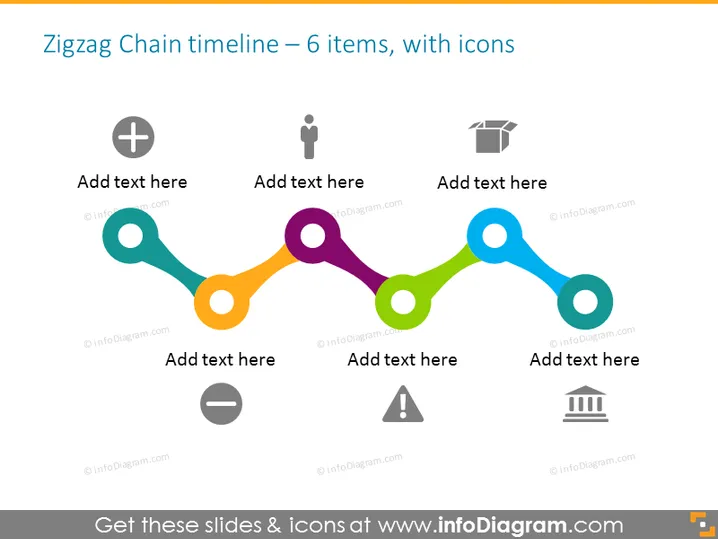
Zigzag Chain timeline – 6 items, with icons
Slide Content
The slide features a timeline in a zigzag pattern that includes six distinct items, each accompanied by an icon and a placeholder for text. The icons represent different concepts: a plus sign indicating addition or commencement, a simple human figure possibly denoting personnel or human resources, a cap symbolizing education or achievement, a minus sign for deletion or reduction, a caution triangle for potential risks or warnings, and a building icon suggesting infrastructure or institutions. Each concept implies a step in a sequential process or highlights a milestone.
Graphical Look
- The overall background is plain and light-colored, ensuring that the content stands out.
- Six circular, colored nodes are connected by a zigzagging line that smoothly transitions through varying hues, creating a chain-like effect.
- Each node has a hollow circle in the middle, providing a space for additional text or symbols.
- Every node is paired with a unique grayscale icon which floats above the circular element.
- Below each node, there is a text box with the phrase "Add text here," inviting users to provide details about each step.
- The icons above the nodes are distinctive and simplistic, allowing for easy recognition of the represented themes.
The overall look of the slide is modern and visually appealing, with a soft color palette that draws attention to the timeline. The orderly arrangement of the icons and text boxes makes the information easy to follow.
Use Cases
- To outline a project's key milestones or phases during a business meeting.
- For visual representation of process flow in training materials.
- As an infographic in reports to highlight sequential steps in a development or progress timeline.
- To enhance communication of strategic plans in investor or stakeholder presentations.
How to Edit
How to edit text & colors

How to expand / shorten diagram

How to Replace Icons in infoDiagram PPT


