
Reviews
Your graphics add a nice touch to my presentations and I recently used them for one of my all-hands meetings. Your toolbox adds professionalism to my slides. Instead of using standard clipart.
I needed a fresh look at some of my slides. I've tried to find a way to create a paintbrush effect, to underline, accentuate, add some color and the handwritten markers were just the things. Very easy to use, easy to size, change the color. It was an affordable, perfect solution and I'm happy to recommend it.
The crisp, clean look of the graphics, and the fact that it allowed me to easily edit and change the colors to match the template was my main reason for purchasing them.
Description
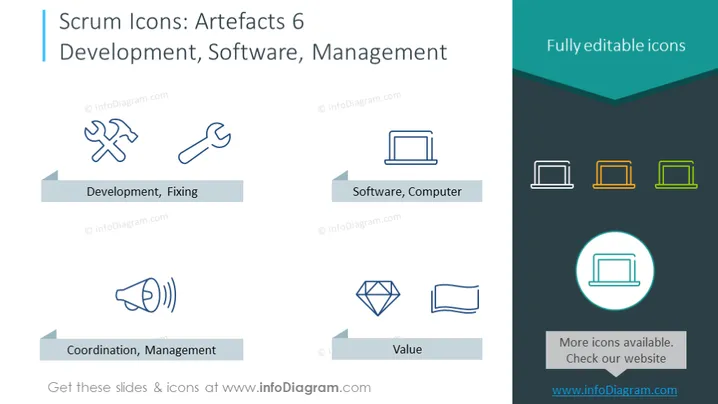
Scrum Icons: Artefacts 6 Development, Software, Management
Slide Content:
The slide presents a set of icons that symbolize various aspects of the Scrum development process. It includes 'Development, Fixing' with icons representing tools, suggesting active work on creating or repairing software. 'Software, Computer' is denoted by a laptop icon, indicating the central role of computer technology in development. 'Coordination, Management' with a megaphone icon implies the importance of organizing and leading teams. Lastly, 'Value' is represented by a diamond, signifying the precious output or benefits derived from the Scrum process.
Graphical Look:
- Icons are simple, in a blue outline style, and uniformly aligned for visual consistency.
- Grey banners under each icon provide the name for the corresponding Scrum artefact.
- A circular icon at the bottom right corner suggests additional icons are available on a website.
- The composition is balanced and spaced evenly, giving the slide a neat and orderly layout.
The slide has a minimalist and professional aesthetic, using color and simple graphics to convey key concepts in Scrum development. The icons are designed to be intuitive and easily recognizable.
Use Cases:
- In a workshop to explain Scrum practices and tools involved in software development.
- During a team meeting to assign tasks related to development, coordination, and value assessment.
- In a training session for new software developers or project managers learning about Scrum.
- On a Scrum resource webpage as downloadable content for users to customize their presentations.
How to Edit
How to edit text & colors

How to expand / shorten diagram

How to Replace Icons in infoDiagram PPT


