
Reviews
Your graphics add a nice touch to my presentations and I recently used them for one of my all-hands meetings. Your toolbox adds professionalism to my slides. Instead of using standard clipart.
I needed a fresh look at some of my slides. I've tried to find a way to create a paintbrush effect, to underline, accentuate, add some color and the handwritten markers were just the things. Very easy to use, easy to size, change the color. It was an affordable, perfect solution and I'm happy to recommend it.
The crisp, clean look of the graphics, and the fact that it allowed me to easily edit and change the colors to match the template was my main reason for purchasing them.
Description
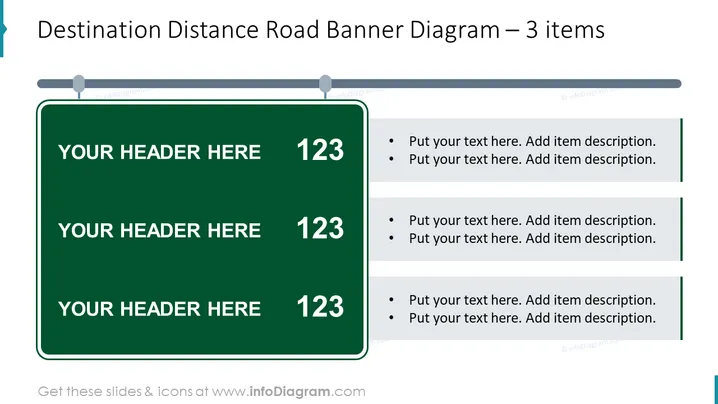
Destination Distance Road Banner Diagram – 3 items
Slide Content
The slide presents a "Destination Distance Road Banner Diagram" with three items intended to display a sequence or progression of steps or milestones. Each item resembles a road sign, with space to customize a header and a numeric detail, followed by bulleted text detailing each respective step or point. The format suggests increasing distance or progression, linking the roadmap concept with project or goal tracking.
Graphical Look
- The slide has a simple and clean design with a white background.
- At the top, there is a horizontal grey banner that spans the width of the slide.
- Three green, rectangular, road sign-like shapes are evenly spaced below the banner.
- Each road sign has a white border, a large bold number on the right, and a placeholder text "YOUR HEADER HERE".
- To the right of each road sign, there are two text boxes for additional information, with bullet points and placeholder text.
- Each text box is visually connected to its corresponding road sign with a thin green line that aligns with the sign's white border.
The slide has a professional appearance, utilizing road sign imagery to convey a sense of direction or progression. Its structured and symmetrical layout promotes clarity, making it easy to follow and understand the content.
Use Cases
- To outline steps in a process or stages of a project in a business presentation.
- Can be used to show progress towards a goal or milestones in a timeline during strategic meetings.
- Suitable for educational materials to break down a concept into manageable parts or topics.
- Useful for product roadmaps in marketing presentations, illustrating the development stages or launch sequence of new products.
How to Edit
How to edit text & colors

How to expand / shorten diagram

How to Replace Icons in infoDiagram PPT


