
Reviews
Your graphics add a nice touch to my presentations and I recently used them for one of my all-hands meetings. Your toolbox adds professionalism to my slides. Instead of using standard clipart.
I needed a fresh look at some of my slides. I've tried to find a way to create a paintbrush effect, to underline, accentuate, add some color and the handwritten markers were just the things. Very easy to use, easy to size, change the color. It was an affordable, perfect solution and I'm happy to recommend it.
The crisp, clean look of the graphics, and the fact that it allowed me to easily edit and change the colors to match the template was my main reason for purchasing them.
Description
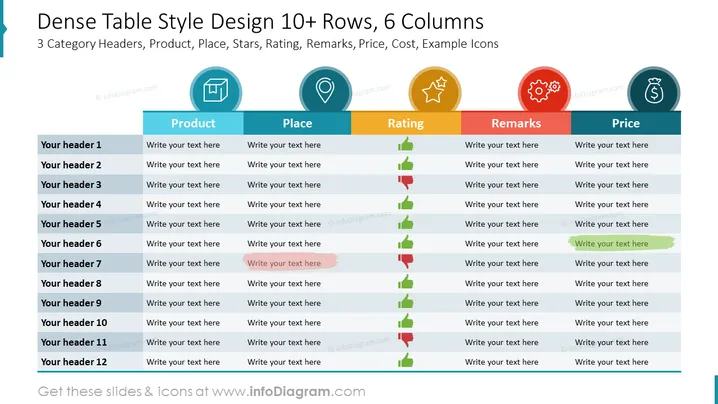
Dense Table Style Design 10+ Rows, 6 Columns
Slide Content
The PowerPoint slide is titled "Dense Table Style Design 10+ Rows, 6 Columns" and appears to be a template for displaying data across six categories: Product, Place, Rating, Remarks, Price, and Cost, with placeholder icons for each category. Each row, numbered with "Your header 1" through "Your header 12," has space to write text, allowing for a detailed comparison or listing of items. The Rating category includes green, amber, and red bars, possibly to visually represent positive, neutral, and negative ratings respectively.
Graphical Look
- The slide has a clean and modern aesthetic with a white background.
- At the top, there is a teal title bar with white text for the slide title, underlined by a light grey line.
- Six category headers, each with a unique background color (from teal to dark red) and accompanying symbolic icons, form the top row of the table.
- Each header in the table is separated by a thin grey line, emphasizing the boundaries between categories.
- Rating indicators are shown as horizontal colored bars—green, yellow, and red—denoting a performance scale.
- All text placeholders are in a simple, legible sans-serif font against a white backdrop.
- To the left of the slide, a vertical teal ribbon with an icon adds a touch of depth to the design.
The slide uses flat design icons and simple color coding to visually separate information, creating a structured and easily navigable presentation element.
Use Cases
- Comparing products or services with multiple attributes in a business meeting or to stakeholders.
- Summarizing and presenting detailed market research findings with key metrics organized in a clear format.
- Using in educational settings to teach data organization and categorical analysis during a lesson or a workshop.
- Breaking dense financial data into an approachable format during a financial review or budget planning session.
How to Edit
How to edit text & colors

How to expand / shorten diagram

How to Replace Icons in infoDiagram PPT


