
Reviews
Sus gráficos añaden un toque agradable a mis presentaciones y recientemente los usé para una de mis reuniones generales. Su conjunto de herramientas añade profesionalismo a mis diapositivas. En lugar de usar imágenes prediseñadas estándar.
Necesitaba un aspecto fresco para algunas de mis diapositivas. Había intentado encontrar una forma de crear un efecto de pincel, de subrayar, acentuar, añadir algo de color y los marcadores escritos a mano fueron justo lo que necesitaba. Muy fácil de usar, fácil de ajustar el tamaño, cambiar el color. Fue una solución asequible y perfecta, y estoy feliz de recomendarla.
El aspecto nítido y limpio de los gráficos, y el hecho de que me permitiera editar y cambiar fácilmente los colores para que coincidieran con la plantilla fue mi principal razón para comprarlos.
Description
Dense Slides Icons: Documents
Slide Content
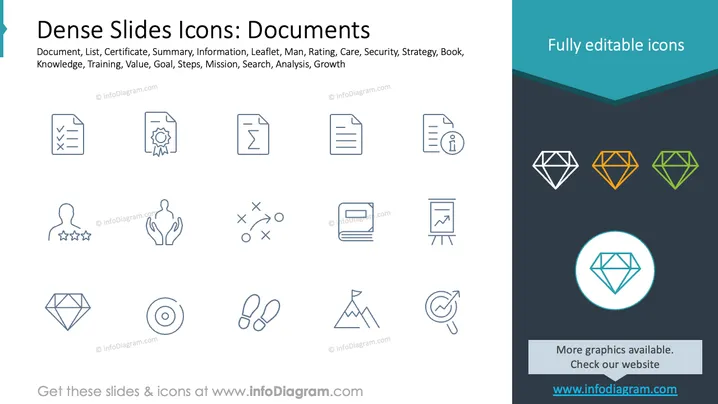
The slide features various icons representing concepts related to documents. These include:
- Document: A sheet depicting written or typed information.
- List: A checklist symbolizing tasks or items.
- Certificate: Represents achievement or validation.
- Summary: Document summarizing information.
- Information: An icon denoting informative content.
- Leaflet: A folded pamphlet typically used for advertising.
- Man: Generic symbol of a person.
- Rating: Stars indicating evaluation quality.
- Care: Hands suggesting support or attention.
- Security: Elements that communicate protection.
- Strategy: Executing a planned action.
- Book: Represents learning or reading.
- Knowledge: Symbolizing information and skills.
- Training: Structured learning process.
- Value: Intrinsic worth or usefulness.
- Goal: Target to be achieved.
- Steps: Process of achieving a result.
- Mission: Purpose or goal directive.
- Search: Act of looking for information.
- Analysis: Detailed examination of elements.
- Growth: Increase or development over time.
Graphical Look
- Icons: Various thin-line icons illustrated in a simple, minimalist style.
- Color: Icons and elements primarily in soft blue hues.
- Layout: Icons are evenly spaced in a grid pattern across the slide.
- Design: Right side features a colorful geometric design with diamond icons.
- Right Panel: Contrasting dark background with diamond icons in multiple colors (blue, orange, green) is present.
- Text Block: Contains descriptions of editable icons with a title above.
Overall, the slide uses a clean, organized design with neatly aligned icons and a complementary sidebar design, providing a professional appearance suitable for business contexts.
Use Cases
- Business Presentations: Illustrate different document-related processes or concepts.
- Training Sessions: Visual aids for explaining document management.
- Project Proposals: Emphasize key elements ## Dense Slides Icons: Documents
Slide Content
The slide features various icons related to documents. These icons represent concepts such as:
- Document: Displays text or information.
- List: Depicts a checklist format.
- Certificate: Symbolizes achievement recognition.
- Summary: Condensed form of information.
- Information: Icon indicating content delivery.
- Leaflet: Represents a small informational pamphlet.
- Man: General icon for a person.
- Rating: Stars showing quality measure.
- Care: Hands indicating support or nurturing.
- Security: Elements that represent protection.
- Strategy: Indicates planned arrangement or actions.
- Book: Suggests learning or literature.
- Knowledge: Symbolizes understanding or skills.
- Training: Represents learning activities.
- Value: Denotes worth or importance.
- Goal: Target to accomplish.
- Steps: Denotes process stages.
- Mission: Purpose or significant intent.
- Search: Depicts the act of looking for info.
- Analysis: Displays thorough examination.
- Growth: Symbolizing development or progress.
Graphical Look
- Icons: Features minimalistic, line-based designs.
- Color: Icons predominantly in subtle blue shades.
- Layout: Icons arranged in a tidy grid format.
- Design: The right side includes a colorfully designed sidebar with diamond shapes.
- Right Panel: Dark background with a series of colorful diamond icons (blue, orange, green).
- Text Block: Describes the availability of editable icons with a title on top.
Overall, the slide presents a clean and structured design with icons neatly organized for clarity, complemented by a visually engaging sidebar featuring colorful geometric elements.
Use Cases
- Business Presentations: Highlight key document processes or strategies.
- Training Sessions: Visual representation for educational topics.
- Project Proposals: Emphasize various objectives and procedures.
How to Edit
How to edit text & colors

How to expand / shorten diagram

How to Replace Icons in infoDiagram PPT


