Reviews
Sus gráficos añaden un toque agradable a mis presentaciones y recientemente los usé para una de mis reuniones generales. Su conjunto de herramientas añade profesionalismo a mis diapositivas. En lugar de usar imágenes prediseñadas estándar.
Necesitaba un aspecto fresco para algunas de mis diapositivas. Había intentado encontrar una forma de crear un efecto de pincel, de subrayar, acentuar, añadir algo de color y los marcadores escritos a mano fueron justo lo que necesitaba. Muy fácil de usar, fácil de ajustar el tamaño, cambiar el color. Fue una solución asequible y perfecta, y estoy feliz de recomendarla.
El aspecto nítido y limpio de los gráficos, y el hecho de que me permitiera editar y cambiar fácilmente los colores para que coincidieran con la plantilla fue mi principal razón para comprarlos.
Description
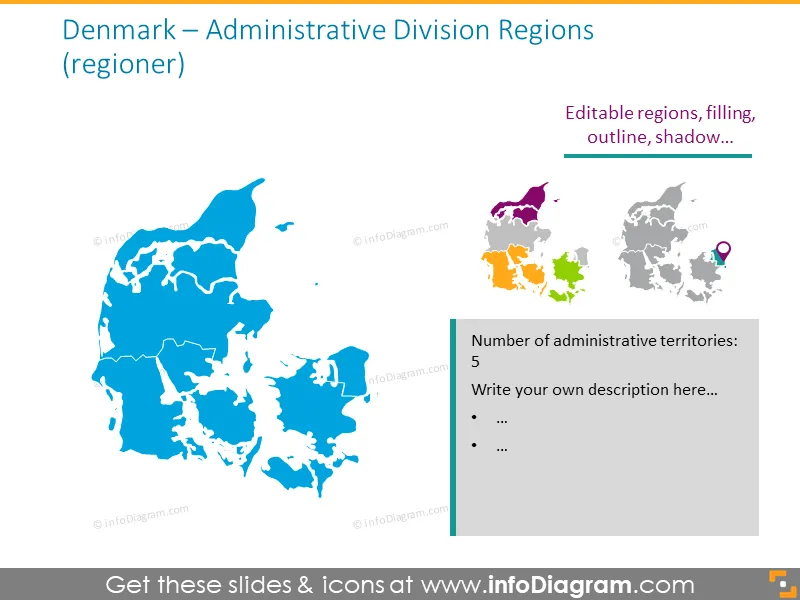
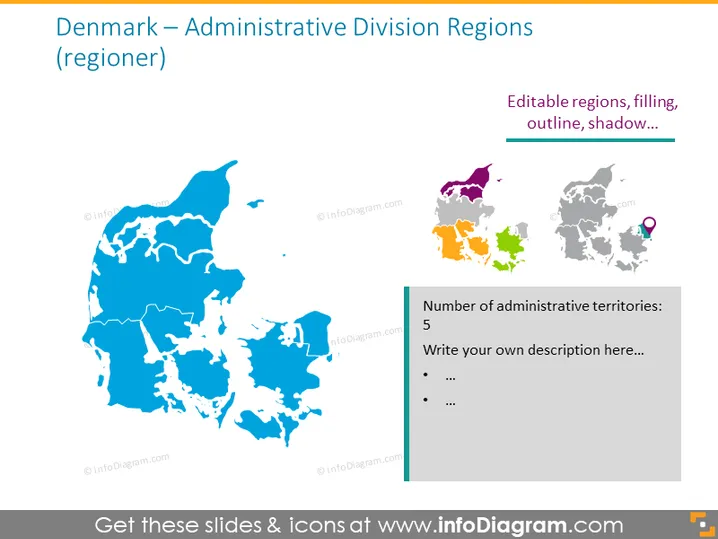
Denmark – Administrative Division Regions
Slide Content
The slide presents Denmark's administrative division into regions, highlighting the country’s map divided into its administrative territories. The title mentions that these regions are also known as "regioner," indicating the Danish term for regions. A side note specifies that the regions have editable features such as filling, outline, and shadow. A gray box on the right shows the number of administrative territories (5) and prompts to write a description.
Graphical Look
- The primary visual is a sizable map of Denmark in blue tones featuring outlined divisions representing the administrative regions.
- A smaller inset map to the right shows Denmark divided into colored regions, emphasizing editability.
- Between the two maps, there's a text "Editable regions, filling, outline, shadow..." denoting the customizable properties of the maps.
- To the right of the slide, a vertical rectangular shape in gray contains text, emphasizing the number of administrative territories and placeholders for additional descriptions.
- A small location icon is next to one of the regions on the inset map, possibly to point out a particular area of interest.
The overall look of the slide is clean and professional, employing a color-coded scheme to distinguish between the main and inset maps. The use of icons and editable features caters to customization and easy understanding.
Use Cases
- To provide a geographical overview of Denmark for educational purposes, showing the five main administrative areas.
- In a business presentation to outline regional markets or locations where the company operates.
- During a government or policy-related presentation to discuss administrative divisions and regional governance.
- As a template for strategists to showcase regional development plans or infrastructure projects across Denmark.
How to Edit
How to edit text & colors

How to expand / shorten diagram

How to Replace Icons in infoDiagram PPT