
Reviews
Your graphics add a nice touch to my presentations and I recently used them for one of my all-hands meetings. Your toolbox adds professionalism to my slides. Instead of using standard clipart.
I needed a fresh look at some of my slides. I've tried to find a way to create a paintbrush effect, to underline, accentuate, add some color and the handwritten markers were just the things. Very easy to use, easy to size, change the color. It was an affordable, perfect solution and I'm happy to recommend it.
The crisp, clean look of the graphics, and the fact that it allowed me to easily edit and change the colors to match the template was my main reason for purchasing them.
Description
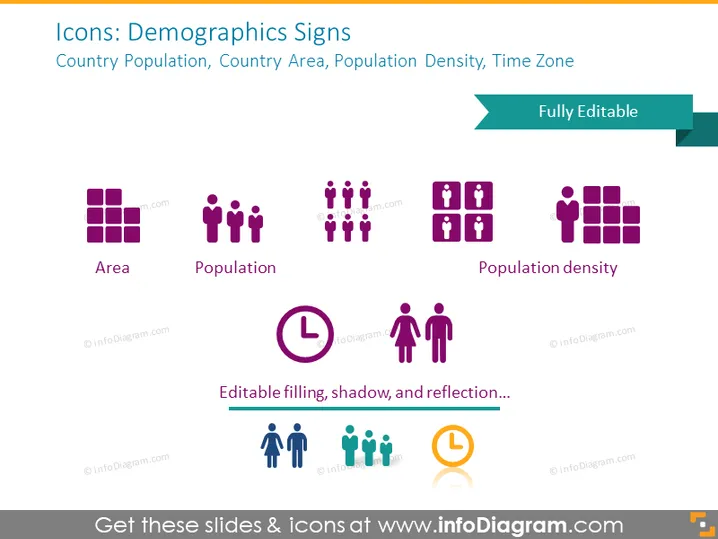
Icons: Demographics Signs
Slide Content
This PowerPoint slide displays a collection of icons that represent demographic metrics such as Country Population, Country Area, Population Density, and Time Zone. The icons are paired with labels to clarify what each signifies: "Area" is depicted by a grid of squares, representing geographic regions; "Population" is shown with multiple human figures, indicating a group of people; "Population Density" is symbolized by a dense cluster of human figures, illustrating the concept of many people living in a confined space; and there are also other icons not fully visible or labeled, likely referring to additional demographic data like Time Zone.
Graphical Look
- The slide background is a solid, light color.
- At the top, there's a broad header in dark text announcing the theme of the slide.
- A teal ribbon element extends from the right, labeled "Fully Editable".
- Six icons are uniformly distributed across the slide, each accompanied by a label beneath it.
- Icons are designed with a flat graphic style and a monochromatic purple color palette.
- Each icon and its corresponding label is centrally placed within a separate imaginary column.
- The first three icons from the left depict a set of squares, human figures, and a dense group of human figures, respectively.
- There is descriptive text at the bottom in a smaller font, cursive handwriting, implying the icons' features such as "Editable filling, shadow, and reflection".
The slide has a modern and clean aesthetic, utilizing a simple color scheme and clear typography to emphasize the demographic icons. The visual composition is balanced, with a symmetrical arrangement of icons and text, making it visually appealing and easy to comprehend.
Use Cases
- To visually communicate demographic statistics in a business or academic presentation.
- To enhance reports with visual icons that quickly convey key population and geographical data.
- As part of an infographic or data dashboard summarizing region-specific demographic trends.
- To provide visual cues in marketing materials where understanding an audience's demographic is essential.
How to Edit
How to edit text & colors

How to expand / shorten diagram

How to Replace Icons in infoDiagram PPT


