
Reviews
Your slides are my 'secret sauce' when it comes to visualising my ideas to clients. I'm saving so much time.
InfoDiagram has been a wonderful resource since I found the product site a few years ago.
Your slides often generate good comments and ideas from my team that improve the final slides.
Description
Decreasing Levels Ribbon List Diagram
Slide Content
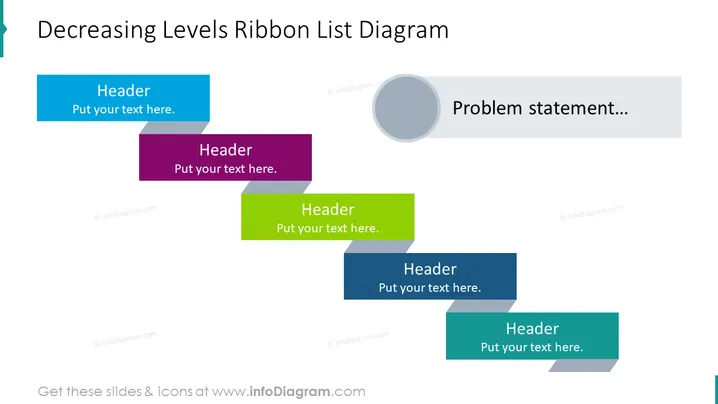
The slide titled "Decreasing Levels Ribbon List Diagram" outlines a process or hierarchy with a series of staggered ribbon shapes in different colors, each labeled "Header" with an accompanying text placeholder. This layout could be used to depict steps in a process, categorical breakdowns, or a series of related components. The ribbons are ordered by size to suggest a decreasing level of importance or sequence.
Graphical Look
- The slide background is white, providing a clean and minimalistic backdrop for the content.
- Four ribbon-shaped banners are arranged in a staggered formation, suggesting a descending sequence from left to right.
- Each ribbon banner is a distinct color: light blue, deep purple, bright green, and dark blue.
- The upper section of each banner has a header with a white, bold font on a colored background. Beneath it is a smaller text area for additional details, set against white.
- To the right side, there is a large circular shape in a faded grey placed near a rectangular speech bubble containing the phrase "Problem statement..." in a light grey font.
- The shapes and text boxes have soft drop shadows adding a subtle depth effect. The overall look of the slide is modern and professional, with a clear emphasis on hierarchy through color and size variance. The use of colorful ribbons and a clean design makes the slide visually appealing and easy to interpret.
Use Cases
- Explaining step-by-step processes in business strategies or project phases.
- Outlining a list of priorities or goals with a clear hierarchy.
- Presenting a breakdown of service offerings or product features in order of importance.
- Visualizing an organizational structure or a decision flowchart.
How to Edit
How to edit text & colors

How to expand / shorten diagram

How to Replace Icons in infoDiagram PPT


