
Reviews
Your slides are my 'secret sauce' when it comes to visualising my ideas to clients. I'm saving so much time.
InfoDiagram has been a wonderful resource since I found the product site a few years ago.
Your slides often generate good comments and ideas from my team that improve the final slides.
Description
December (US)
Slide Content
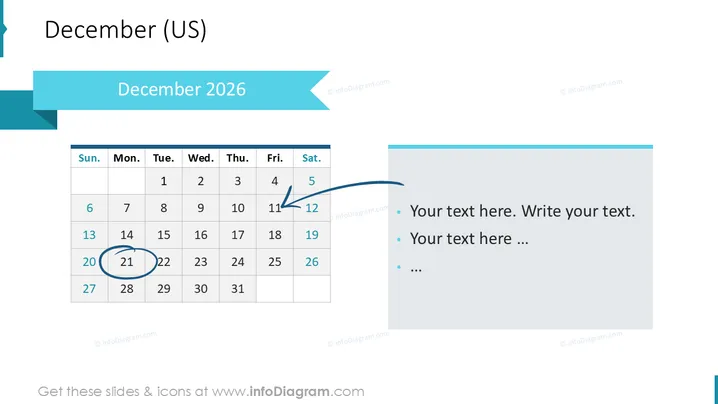
This PowerPoint slide presents a calendar view for the month of December 2026, emphasizing the 13th with an arrow and the 22nd with a circle, possibly marking important dates or events. On the right side, there is space provided for text with bullet points which allows users to add detailed descriptions about the highlighted dates or any other relevant information pertaining to the schedule for December 2025.
Graphical Look
- The slide has a large title at the top with the month "December" followed by "(US)" in a smaller font.
- Below the title, there's a subtitle with the year "December 2025," highlighted in a blue banner which matches the theme of the slide.
- A calendar occupies the left portion of the slide with dates laid out in a grid format, spanning from Sunday to Saturday with days "Sun." to "Sat." as headers in each column.
- The 13th of the month is indicated by a blue arrow, while the 22nd is circled in blue, both emphasizing specific dates.
- The right portion features a text box with three bullet points outlined for inserting custom text.
- The overall color scheme is made up of blue tones and white, providing a clean and corporate visual aesthetic.
The slide is designed with a minimalist and professional touch, using a simple color palette and clear visual cues to indicate noteworthy dates. The text area adds functionality by allowing for annotations or detailed explanations.
Use Cases
- Planning and highlighting key business events or deadlines for the month.
- Using in a corporate setting to provide an overview of schedules for team meetings or project milestones.
- Incorporating into a monthly report presentation to indicate the timing of past or future company activities.
- Utilizing in personal project management to track important dates, such as deliverable due dates or events.
How to Edit
How to edit text & colors

How to expand / shorten diagram

How to Replace Icons in infoDiagram PPT


