
Reviews
Your graphics add a nice touch to my presentations and I recently used them for one of my all-hands meetings. Your toolbox adds professionalism to my slides. Instead of using standard clipart.
I needed a fresh look at some of my slides. I've tried to find a way to create a paintbrush effect, to underline, accentuate, add some color and the handwritten markers were just the things. Very easy to use, easy to size, change the color. It was an affordable, perfect solution and I'm happy to recommend it.
The crisp, clean look of the graphics, and the fact that it allowed me to easily edit and change the colors to match the template was my main reason for purchasing them.
Description
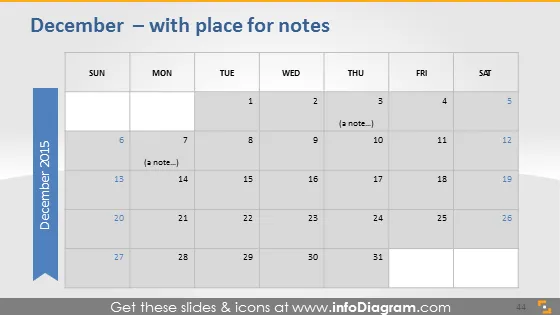
December – with place for notes
Slide Content
The slide features a monthly calendar for December 2015 with areas allocated for notes on specific days. The calendar is laid out in a traditional grid format with columns for each day of the week starting from Sunday to Saturday. The dates are clearly marked, and there are special areas next to some dates where notes can be added, signified by the placeholder text "(a note...)". These note fields suggest that this calendar slide is meant for planning or keeping track of events and reminders for particular days.
Graphical Look
- The slide has a soft blue and grey color scheme.
- At the top, the slide title is presented in dark grey color text.
- A calendar occupies the central portion of the slide with dates arranged in a grid format.
- Days of the week are labeled at the top row of the grid.
- Text placeholders for notes appear as light text next to certain dates.
- To the left, there's a long blue vertical ribbon with the year "2015" rotated and written in white.
- The calendar dates are in a darker grey, while the grid lines are lighter grey.
- There are no additional graphical elements or icons on the slide.
The slide has a clean and professional design with a simple color palette that emphasizes readability and functional use. The blue vertical ribbon provides a visual anchor that draws the eye to the year while maintaining an uncluttered look.
Use Cases
- To present project timelines and deadlines during business meetings.
- As a part of a monthly update presentation to highlight key dates or milestones.
- For scheduling and sharing important events or holidays with a team.
- In planning sessions for marketing campaigns to mark special dates and promotions.
How to Edit
How to edit text & colors

How to expand / shorten diagram

How to Replace Icons in infoDiagram PPT


