
Reviews
Ihre Grafiken verleihen meinen Präsentationen eine nette Note, und ich habe sie kürzlich für eines meiner All-Hands-Meetings verwendet. Ihre Toolbox verleiht meinen Folien Professionalität, anstatt Standard-Clipart zu verwenden.
Ich brauchte einen neuen Blick auf einige meiner Folien. Ich habe versucht, einen Weg zu finden, einen Pinselschlag-Effekt zu erzielen, um zu unterstreichen, hervorzuheben, Farbe hinzuzufügen, und die handgeschriebenen Markierungen waren genau das Richtige. Sehr einfach zu bedienen, leicht in der Größe zu ändern, die Farbe zu ändern. Es war eine erschwingliche, perfekte Lösung und ich empfehle sie gerne weiter.
Die klare, saubere Optik der Grafiken und die Tatsache, dass ich die Farben leicht bearbeiten und an die Vorlage anpassen konnte, war mein Hauptgrund für den Kauf.
Description
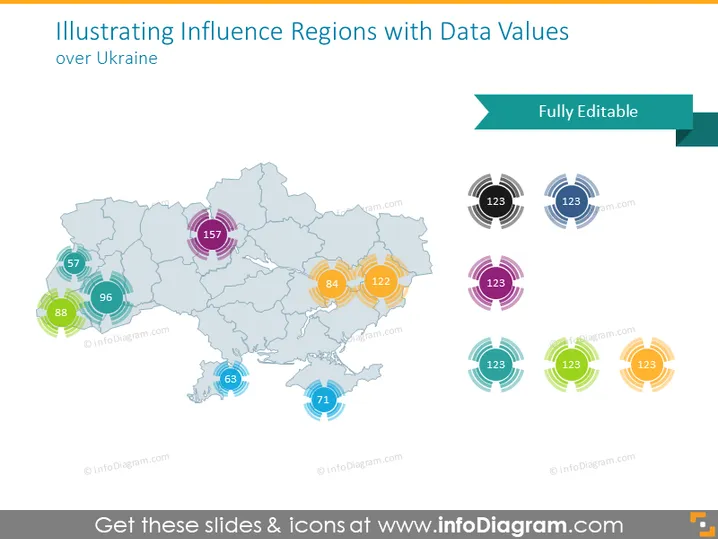
Illustrating Influence Regions with Data Values over Ukraine
Slide Content
The PowerPoint slide visualizes different regions of Ukraine, each marked with concentric circles and numerical values indicating influence or data metrics related to these areas. It employs a color-coding system for easy differentiation between regions. Each set of concentric circles represents a specific data point or metric relevant to the region it overlaps with, such as population size, economic data, or other statistical measures that quantify the level of influence within each area.
Graphical Look
- The map of Ukraine serves as the central graphic element, with a light blue and gray color scheme.
- Overlaid onto the map are various colorful circular icons with numbers, each comprising concentric rings, symbolizing different data values or influence levels.
- The numbers within the icons are prominently displayed and vary in size, likely correlating to the magnitude of the data they represent.
- A distinctive arrow-shaped bar at the top right carries the text "Fully Editable."
- The icons come in a variety of colors including teal, orange, purple, blue, green, and yellow, aiding visual distinction among data points.
- The slide utilizes a clean, modern design with a flat graphical style, free of unnecessary textures or three-dimensional effects.
The overall look of the slide is polished and professional, with a clear focus on data representation through graphic elements. The color choices are vibrant but not overwhelming, facilitating an engaging visual experience.
Use Cases
- Presenting regional statistical information to policy makers or stakeholders.
- Illustrating market research data during business strategy meetings.
- Displaying geographical distribution of resources or services in a corporate presentation.
- Analyzing demographic data across different regions in an educational or planning context.
How to Edit
How to edit text & colors

How to expand / shorten diagram

How to Replace Icons in infoDiagram PPT


