
Reviews
Your graphics add a nice touch to my presentations and I recently used them for one of my all-hands meetings. Your toolbox adds professionalism to my slides. Instead of using standard clipart.
I needed a fresh look at some of my slides. I've tried to find a way to create a paintbrush effect, to underline, accentuate, add some color and the handwritten markers were just the things. Very easy to use, easy to size, change the color. It was an affordable, perfect solution and I'm happy to recommend it.
The crisp, clean look of the graphics, and the fact that it allowed me to easily edit and change the colors to match the template was my main reason for purchasing them.
Description
Data Science, AI Icons
Slide Content
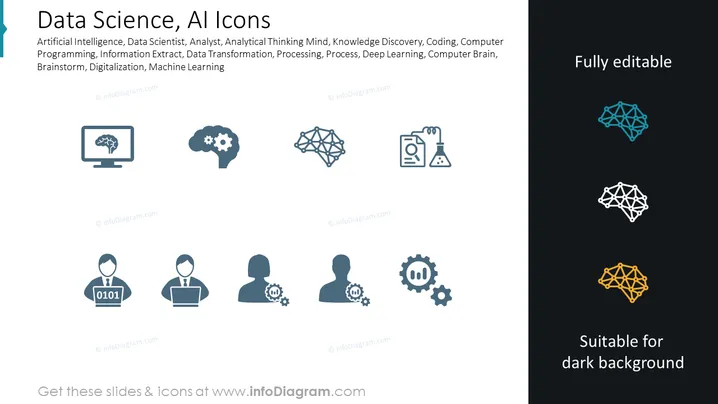
The slide titled "Data Science, AI Icons" features a list of keywords associated with Artificial Intelligence and Data Science such as Artificial Intelligence, Data Scientist, Analyst, Analytical Thinking Mind, Knowledge Discovery, Coding, Computer Programming, Information Extract, Data Transformation, Processing, Process, Deep Learning, Computer Brain, Brainstorm, Digitalization, and Machine Learning. The slide suggests that the icons correspond to these concepts, providing visual representations for complex topics within the field.
Graphical Look
- The slide background is divided into two sections: white on the left and black on the right with a diagonal split.
- On the left side, there are six icons in shades of blue and gray depicting various data science and AI concepts:
- A desktop monitor with a tree structure, symbolizing a decision tree or neural network.
- A gear with a smaller gear and a silhouette of a human head, representing a mix of human and machine intelligence.
- A neural network graph, demonstrating the concept of connected neurons or data points.
- An avatar with the binary code "0101" over its chest, perhaps signifying a data scientist or programmer.
- A silhouette of a person giving a presentation with a screen, indicative of data analysis or reporting.
- Two user silhouettes with gears, indicating collaboration in the tech field.
- On the right side, the section labeled "Fully editable" displays the same neural network icon in three different colors: teal, white, and yellow against a dark background, exemplifying the ability to modify the color of the icons.
- Underneath the icons, "Suitable for dark background" text emphasizes the usability of the icons on various backgrounds.
- The text and icons are arranged symmetrically and the overall composition is clean and modern.
The slide has a professional and sleek design with a contemporary feel, effectively using icons and contrasting colors to focus on the adaptability of the visual elements. It seems designed for clarity and versatility, highlighting the icons that can be adapted to match different presentation styles and themes.
Use Cases
- Presenting key concepts in a lecture or workshop on data science and artificial intelligence.
- Incorporating into company training materials to visually represent areas of technological expertise or focus.
- Utilizing in sales or consulting pitches to illustrate services related to AI and data analytics.
- Enhancing visual appeal in academic or research presentations discussing the impact of AI and data science advancements.
How to Edit
How to edit text & colors

How to expand / shorten diagram

How to Replace Icons in infoDiagram PPT


