

Your graphics add a nice touch to my presentations and I recently used them for one of my all-hands meetings. Your toolbox adds professionalism to my slides. Instead of using standard clipart.
Claude Jones, Director of Engineer, @Walmartlabs, USA

Your graphics add a nice touch to my presentations and I recently used them for one of my all-hands meetings. Your toolbox adds professionalism to my slides. Instead of using standard clipart.
Claude Jones, Director of Engineer, @Walmartlabs, USA
I needed a fresh look at some of my slides. I've tried to find a way to create a paintbrush effect, to underline, accentuate, add some color and the handwritten markers were just the things. Very easy to use, easy to size, change the color. It was an affordable, perfect solution and I'm happy to recommend it.
Anonymous, US
The crisp, clean look of the graphics, and the fact that it allowed me to easily edit and change the colors to match the template was my main reason for purchasing them.
Brandie Jenkins, E-learning Developer, USA
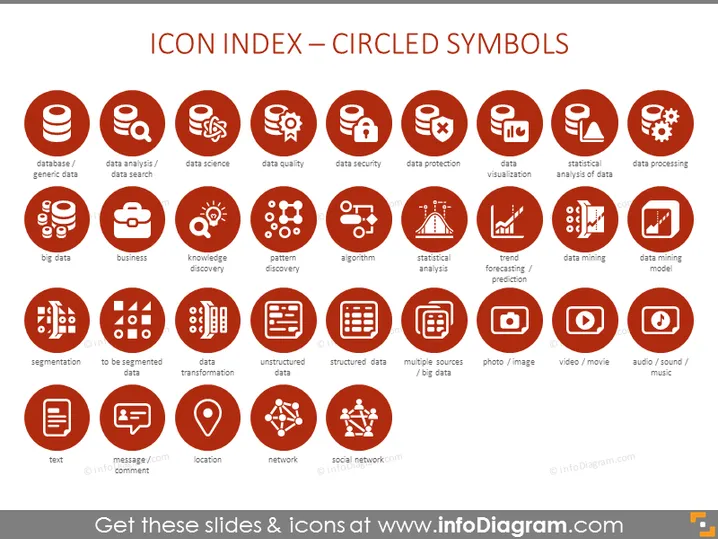
The PowerPoint slide presents a collection of icons that represent various data and technology concepts, each circled and accompanied by a descriptive label. The icons cover fundamental topics such as 'database / generic data', which represents the idea of basic data storage and organization, and 'data analysis / data search', implying the examination and querying of data. Other icons highlight specific processes or areas of data science like 'data quality', 'data security', 'big data', and 'algorithm', indicating the importance of these aspects in managing and interpreting large data sets. The slide includes more specialized topics such as 'segmentation', 'structured/unstructured data', and 'data mining model', delving into how data is categorized, stored, and used to predict patterns or trends.
The slide has a clean and professional aesthetic, with easily identifiable icons providing a quick reference to various data-centric concepts.



