
Reviews
Vos graphiques ajoutent une belle touche à mes présentations et je les ai récemment utilisés pour l'une de mes réunions générales. Votre boîte à outils ajoute du professionnalisme à mes diapositives. Au lieu d'utiliser des cliparts standards.
J'avais besoin d'un nouveau regard sur certaines de mes diapositives. J'ai essayé de trouver un moyen de créer un effet de pinceau, de souligner, d'accentuer, d'ajouter de la couleur et les marqueurs manuscrits étaient exactement ce qu'il fallait. Très facile à utiliser, facile à ajuster la taille, à changer la couleur. C'était une solution abordable et parfaite et je suis heureux de la recommander.
L'aspect net et épuré des graphiques, et le fait qu'il m'ait permis d'éditer et de changer facilement les couleurs pour les adapter au modèle, ont été les principales raisons de mon achat.
Description
Cloud storage
Slide Content
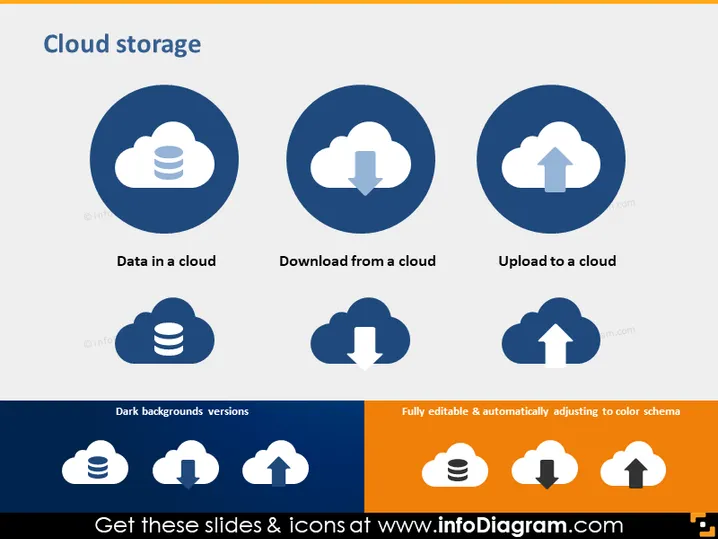
The slide is focused on "Cloud storage" and illustrates three key concepts using icons and text. "Data in a cloud" likely refers to storing data online in a virtual space, symbolized by a cloud with a database icon. "Download from a cloud" suggests retrieving data from cloud storage, depicted by a cloud with a downward arrow. "Upload to a cloud" indicates sending data to cloud storage, represented by a cloud with an upward arrow. Each concept is further detailed with an explanation.
Graphical Look
- The slide background is plain white.
- The title "Cloud storage" is in dark blue and aligned to the center at the top of the slide.
- Three circular blue icons with white symbols are horizontally aligned in the middle of the slide.
- Each icon is paired with a caption below it, describing the action the icon represents, in dark blue text.
- The first icon shows a database symbol within a cloud, labeled "Data in a cloud."
- The second icon depicts a cloud with a downward arrow, labeled "Download from a cloud."
- The third icon portrays a cloud with an upward arrow, labeled "Upload to a cloud."
- Below these icons are inverted color versions of the same icons against dark navy backgrounds.
The slide features a simple and clean design with a balance of iconography and text, making the content easily digestible. The use of contrasting colors enhances the visibility of the icons.
Use Cases
- To educate an audience about the basic processes involved in using cloud storage services.
- In an IT strategy presentation to discuss the adoption of cloud storage solutions.
- During a training session explaining the operations of a cloud storage platform.
- As part of a proposal to highlight the benefits and capabilities of cloud storage for data management.
How to Edit
How to edit text & colors

How to expand / shorten diagram

How to Replace Icons in infoDiagram PPT


