
Reviews
Sus gráficos añaden un toque agradable a mis presentaciones y recientemente los usé para una de mis reuniones generales. Su conjunto de herramientas añade profesionalismo a mis diapositivas. En lugar de usar imágenes prediseñadas estándar.
Necesitaba un aspecto fresco para algunas de mis diapositivas. Había intentado encontrar una forma de crear un efecto de pincel, de subrayar, acentuar, añadir algo de color y los marcadores escritos a mano fueron justo lo que necesitaba. Muy fácil de usar, fácil de ajustar el tamaño, cambiar el color. Fue una solución asequible y perfecta, y estoy feliz de recomendarla.
El aspecto nítido y limpio de los gráficos, y el hecho de que me permitiera editar y cambiar fácilmente los colores para que coincidieran con la plantilla fue mi principal razón para comprarlos.
Description
Dashboards Icons Set – Location and Occupation
Slide Content
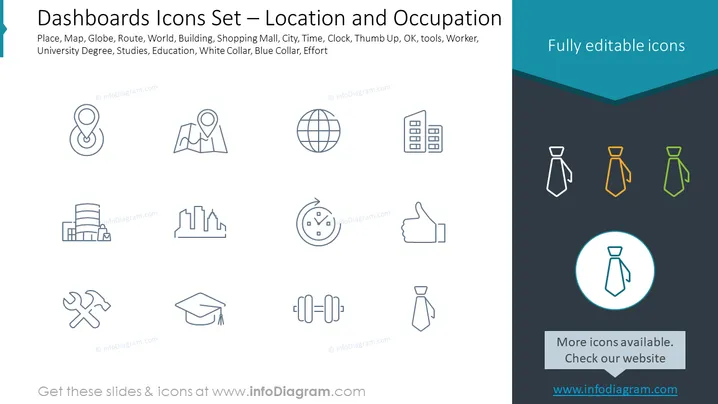
The slide introduces a set of vector icons designed for dashboards with the theme of "Location and Occupation." The icons can be broadly categorized into two groups. The first group pertains to location: a pin for "Place," a map, a globe symbolizing "World," and building silhouettes for "City." The second group is related to occupation: icons for "Worker," "University Degree," representing "Education," thumbs up for "OK," tools, and weightlifting for "Effort," distinguishing between white-collar and blue-collar workers through different tie icons.
Graphical Look
- The slide has a clean, minimalistic design with a white background.
- At the top of the slide, there is a dark teal strip with text "Fully editable icons" emphasizing the customizability of icons.
- The icons are arranged in a grid layout, with three rows and four columns of-outline style icons.
- There are twelve icons in total, each illustrating a concept related to location or occupation.
- The icons relating to location are simple and depict universally recognized symbols like a globe for "World."
- The occupation-related icons use a human figure with a tie, varying in color, to denote different types of workers.
The slide's overall look is professional and straightforward, with a focus on conveying information visually through icons. The color scheme is limited to teal, black, and shades of grey, aside from the three colored tie icons which stand out to indicate different worker types.
Use Cases
- As part of a dashboard design in software applications to enable quick visual recognition of different sections or functions related to geographical and occupational data.
- In corporate presentations to visually represent workforce demographics or global operations by using location and occupation icons.
- For HR-related materials to distinguish between various employee roles, job functions, or training modules.
- In infographics or online content where easy-to-understand symbols can enhance the comprehension of the textual content.
How to Edit
How to edit text & colors

How to expand / shorten diagram

How to Replace Icons in infoDiagram PPT


