

Your graphics add a nice touch to my presentations and I recently used them for one of my all-hands meetings. Your toolbox adds professionalism to my slides. Instead of using standard clipart.
Claude Jones, Director of Engineer, @Walmartlabs, USA

Your graphics add a nice touch to my presentations and I recently used them for one of my all-hands meetings. Your toolbox adds professionalism to my slides. Instead of using standard clipart.
Claude Jones, Director of Engineer, @Walmartlabs, USA
I needed a fresh look at some of my slides. I've tried to find a way to create a paintbrush effect, to underline, accentuate, add some color and the handwritten markers were just the things. Very easy to use, easy to size, change the color. It was an affordable, perfect solution and I'm happy to recommend it.
Anonymous, US
The crisp, clean look of the graphics, and the fact that it allowed me to easily edit and change the colors to match the template was my main reason for purchasing them.
Brandie Jenkins, E-learning Developer, USA
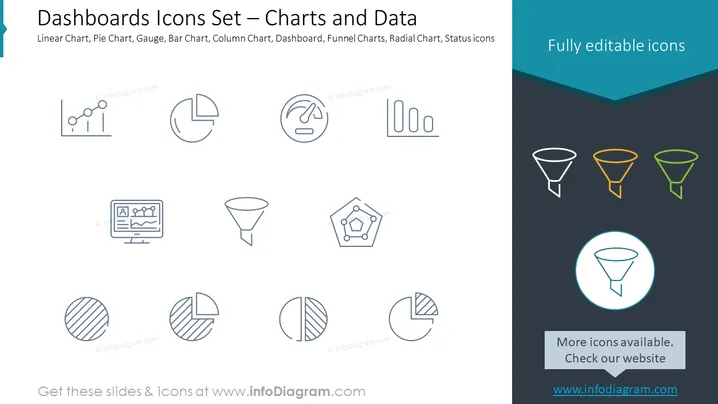
The PowerPoint slide is titled "Dashboards Icons Set – Charts and Data," indicating a collection of iconography related to data visualization tools commonly found in dashboards, such as Linear Chart (typically used for showing trends over time), Pie Chart (for displaying part-to-whole relationships), Gauge (often represents progress or performance), Bar Chart (compares different groups), Column Chart (similar to bar charts, with vertical bars), Dashboard (an overview of various metrics), Funnel Charts (used for depicting sales process stages), Radial Chart (to depict data in a circular manner), and Status icons (indicating the status of a task or process). Each concept helps in the graphical representation of data for easy understanding.
The overall look of the slide is minimalistic and emphasizes clarity, with a focus on the icons. It has a modern and clean aesthetic, suitable for a professional presentation to communicate information quickly.



