
Reviews
Your slides are my "secret sauce" when it comes to presenting my ideas to clients. I save a lot of time.
J'avais un délai de livraison à respecter et je n'avais pas le temps de créer une variété de modèles de diapositives. Infodiagram m'a proposé des options faciles à télécharger et à personnaliser en fonction de mes besoins !
Vos diapositives suscitent souvent de précieux commentaires et idées de la part de mon équipe, ce qui améliore les diapositives finales.
Description
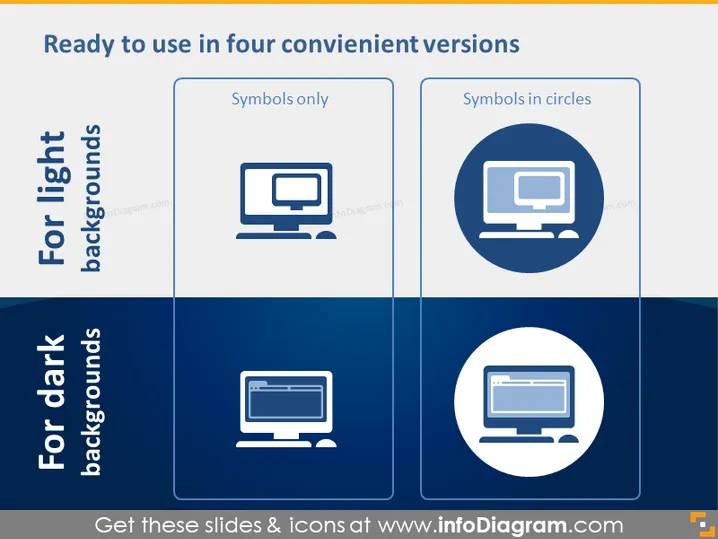
Ready to use in four convenient versions
Slide Content
The PowerPoint slide depicts various icon styles designed for different background options, "For light backgrounds" and "For dark backgrounds." Each category has two types of icons: "Symbols only," which are plain icons without any embellishments, and "Symbols in circles," indicating the icons are encircled to stand out more. The slide is likely to be demonstrating the adaptability of icons in presentations to enhance visual communication regardless of background color.
Graphical Look
- The slide is divided horizontally into two main sections with a pale blue upper half labeled "For light backgrounds" and a dark blue lower half labeled "For dark backgrounds."
- Each section consists of two rectangular outlined frames with a white and dark blue background respectively, each containing an icon representation.
- The upper section shows two icons of a desktop computer - the left icon appears without additional graphics whereas the right icon is encased within a circle.
- The lower section replicates the upper icon arrangement but uses a white color for the icons and circles to contrast the dark blue background.
- The icons in each framework appear in a consistent style with a simplified illustration of a desktop computer, highlighting the adaptability of the icons for different slide backgrounds.
The slide has an overall clean, professional appearance, with a straightforward layout that effectively compares icon styling suitable for different background situations.
Use Cases
- Presenting design elements in a marketing or branding presentation, showing how logos or icons can be adapted for different visual backgrounds.
- Educating employees or stakeholders about best practices in slide design during a corporate training or workshop.
- Illustrating the versatility of visual assets during a user interface/user experience (UI/UX) design meeting.
- Demonstrating graphic options during a web design or app development presentation, where contrasting backgrounds are often a consideration.
How to Edit
How to edit text & colors

How to expand / shorten diagram

How to Replace Icons in infoDiagram PPT


