
Reviews
Ihre Grafiken verleihen meinen Präsentationen eine nette Note, und ich habe sie kürzlich für eines meiner All-Hands-Meetings verwendet. Ihre Toolbox verleiht meinen Folien Professionalität, anstatt Standard-Clipart zu verwenden.
Ich brauchte einen neuen Blick auf einige meiner Folien. Ich habe versucht, einen Weg zu finden, einen Pinselschlag-Effekt zu erzielen, um zu unterstreichen, hervorzuheben, Farbe hinzuzufügen, und die handgeschriebenen Markierungen waren genau das Richtige. Sehr einfach zu bedienen, leicht in der Größe zu ändern, die Farbe zu ändern. Es war eine erschwingliche, perfekte Lösung und ich empfehle sie gerne weiter.
Die klare, saubere Optik der Grafiken und die Tatsache, dass ich die Farben leicht bearbeiten und an die Vorlage anpassen konnte, war mein Hauptgrund für den Kauf.
Description
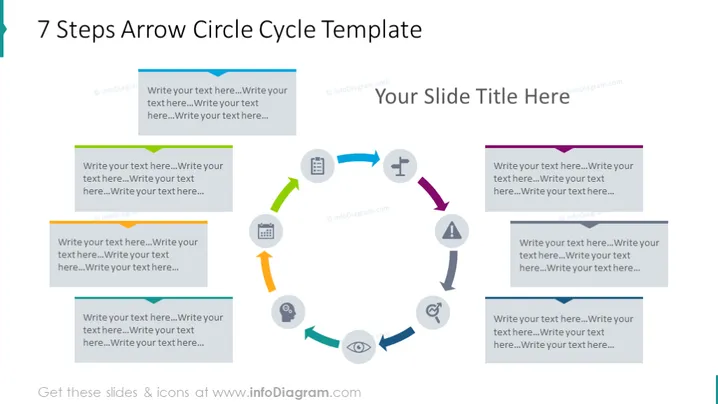
7 Steps Arrow Circle Cycle Template
Slide Content
The slide presents a process cycle divided into seven steps, represented by arrows forming a circle around a central gear icon. Each arrow points to the subsequent one, symbolizing progress or sequence. Alongside each arrow, there is space for text to explain individual steps, engaging the audience with the specifics of each phase in the process. This sequential model could depict a workflow, development stages, or any cyclical process within an organization or project.
Graphical Look
- The central image is a grey gear icon surrounded by a circular arrangement of seven arrows.
- Each arrow is a different color (ranging from blue to purple shades), facilitating differentiation of the steps.
- Next to each arrow is a rectangular text box for additional information on each step, colored in lighter shades corresponding to the arrow it is associated with.
- Iconography is utilized to denote different steps or stages, with a unique icon placed above each text box.
- The slide background is white, ensuring that the colorful arrows and icons stand out.
- The overall design is symmetrical, maintaining a balanced and organized appearance.
- It has a clean, minimalistic style with a clear font for easy reading.
The slide has a professional and modern look, using colors and icons to visually separate and define each step of the process. It is designed to be easily understood at a glance, making complex processes appear more straightforward and approachable.
Use Cases
- Presenting a business development plan, illustrating step-by-step progress.
- Describing a continuous improvement cycle, such as the Deming wheel or PDCA cycle, in quality management presentations.
- Outlining the stages in a project lifecycle during a project management workshop.
- Explaining a complex process in a training or educational setting, providing clarity and structure to the learners.
How to Edit
How to edit text & colors

How to expand / shorten diagram

How to Replace Icons in infoDiagram PPT


