
Reviews
Your slides are my 'secret sauce' when it comes to visualising my ideas to clients. I'm saving so much time.
InfoDiagram has been a wonderful resource since I found the product site a few years ago.
Your slides often generate good comments and ideas from my team that improve the final slides.
Description
Slide Title
Slide Content
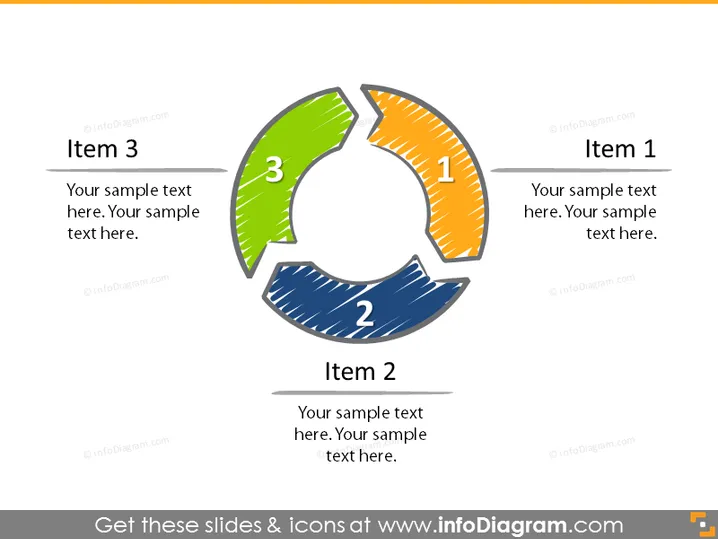
The PowerPoint slide is designed to present a three-part cycle, with each part labeled as Item 1, Item 2, and Item 3. Each item is associated with a colored segment—orange, blue, and green, which likely represents different phases or steps in a cyclic process. The segments are arched, creating a circular motion, emphasizing the continuous nature of the process they represent. Item 1 and 3 have additional text boxes for a more detailed explanation of those phases.
Graphical Look
- The slide has a light background.
- Three curved segments are arranged in a circular formation to create a cycle diagram.
- Each segment is colored distinctively: orange, blue, and green.
- Each segment is numbered, with numbers 1, 2, and 3 placed at the center of the respective segments.
- The numbers inside the segments have a sketch-like, handwritten style.
- Each segment is connected to a text box labeled "Item 1", "Item 2", and "Item 3."
- The text boxes have sample text placeholders suggesting to add a detailed description.
- The boxes and segments are connected with straight lines that also have a hand-drawn appearance.
The overall look of the slide combines a professional yet creative aesthetic, emphasizing the cyclic nature of the process it seeks to represent with hand-drawn elements to add a dynamic touch.
Use Cases
- Presenting the steps in a continuous process or cycle during business strategy sessions.
- Describing phases of a project where each part leads to the next in a corporate presentation.
- Illustrating product lifecycle stages during a marketing or sales meeting.
- Explaining iterative processes in training or educational business workshops.
How to Edit
How to edit text & colors

How to expand / shorten diagram

How to Replace Icons in infoDiagram PPT


