
Reviews
Sus gráficos añaden un toque agradable a mis presentaciones y recientemente los usé para una de mis reuniones generales. Su conjunto de herramientas añade profesionalismo a mis diapositivas. En lugar de usar imágenes prediseñadas estándar.
Necesitaba un aspecto fresco para algunas de mis diapositivas. Había intentado encontrar una forma de crear un efecto de pincel, de subrayar, acentuar, añadir algo de color y los marcadores escritos a mano fueron justo lo que necesitaba. Muy fácil de usar, fácil de ajustar el tamaño, cambiar el color. Fue una solución asequible y perfecta, y estoy feliz de recomendarla.
El aspecto nítido y limpio de los gráficos, y el hecho de que me permitiera editar y cambiar fácilmente los colores para que coincidieran con la plantilla fue mi principal razón para comprarlos.
Description
Sample text
Slide Content
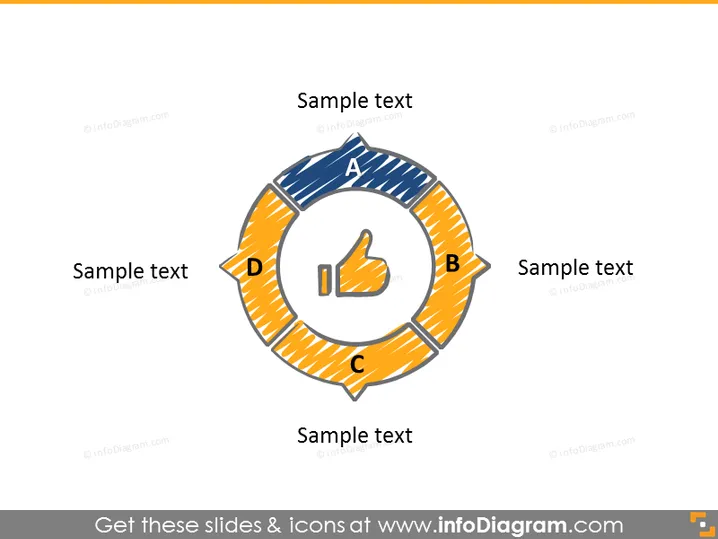
The PowerPoint slide features a circular diagram divided into four segments labeled A, B, C, and D, each accompanied by a placeholder "Sample text" implying a space for specific descriptions. This diagram seems to depict a process cycle or a sequence of stages in a methodical flow. Each segment could represent a phase or a component of a strategy, allowing the presenter to elaborate on the steps in a process, elements of a system, or parts of a comprehensive plan.
Graphical Look
- A central circle with an icon of a hand giving a thumbs up, representing approval or success.
- Four outward-pointing curved arrows connect to form a circle around the central icon.
- Each arrow is distinctly colored and patterned with a different fill texture, contributing to a colorful, segmented appearance.
- Labels A, B, C, and D, with corresponding text boxes for additional information, are aligned with each arrow segment.
- The overall slide has a minimalistic background and simple design elements.
The slide has a modern and clean look, utilizing color and texture to differentiate between the sections. The thumbs-up icon in the center unifies the segments and suggests positive outcomes or approval.
Use Cases
- Illustrating the steps of a business process or workflow during a team meeting or training session.
- Presenting different components of a marketing strategy in a pitch to potential clients or investors.
- Highlighting stages of project development and milestones in a project management presentation.
- Explaining the elements of a successful customer journey or service experience at a company seminar.
How to Edit
How to edit text & colors

How to expand / shorten diagram

How to Replace Icons in infoDiagram PPT


