
Reviews
Your graphics add a nice touch to my presentations and I recently used them for one of my all-hands meetings. Your toolbox adds professionalism to my slides. Instead of using standard clipart.
I needed a fresh look at some of my slides. I've tried to find a way to create a paintbrush effect, to underline, accentuate, add some color and the handwritten markers were just the things. Very easy to use, easy to size, change the color. It was an affordable, perfect solution and I'm happy to recommend it.
The crisp, clean look of the graphics, and the fact that it allowed me to easily edit and change the colors to match the template was my main reason for purchasing them.
Description
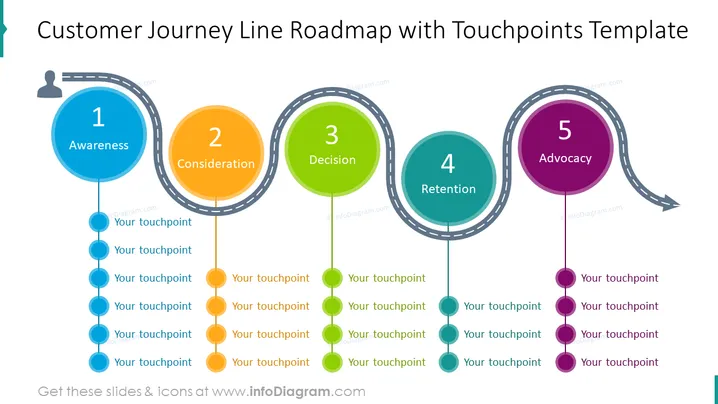
This customer journey map example slide shows the stages that every customer passes before he makes a decision. The first stage is awareness - the client becomes aware of your product or company; consideration - the client is looking through his possibilities and options; decision - after doing research, the client chooses the product and the company; retention - building a long-term relationship with your clients brings profit and loyalty; advocacy - the client's experience is positive, and he recommends your company and products to relatives, acquaintances, colleagues, etc. These are some of the examples you can use in your presentation. However, since this slide is editable, we have left free touchpoints which you can use to describe more precisely the journey that your customers are going through, based on your line of work.
##Slide infographic description:
White Background, Touchpoints, Roadmap Arrow, Line Vectors, Colored Dots, Man Icon, Customer Icon
How to Edit
How to edit text & colors

How to expand / shorten diagram

How to Replace Icons in infoDiagram PPT


