
Reviews
Sus gráficos añaden un toque agradable a mis presentaciones y recientemente los usé para una de mis reuniones generales. Su conjunto de herramientas añade profesionalismo a mis diapositivas. En lugar de usar imágenes prediseñadas estándar.
Necesitaba un aspecto fresco para algunas de mis diapositivas. Había intentado encontrar una forma de crear un efecto de pincel, de subrayar, acentuar, añadir algo de color y los marcadores escritos a mano fueron justo lo que necesitaba. Muy fácil de usar, fácil de ajustar el tamaño, cambiar el color. Fue una solución asequible y perfecta, y estoy feliz de recomendarla.
El aspecto nítido y limpio de los gráficos, y el hecho de que me permitiera editar y cambiar fácilmente los colores para que coincidieran con la plantilla fue mi principal razón para comprarlos.
Description
Customer Demographics: Age & Gender
Slide Content
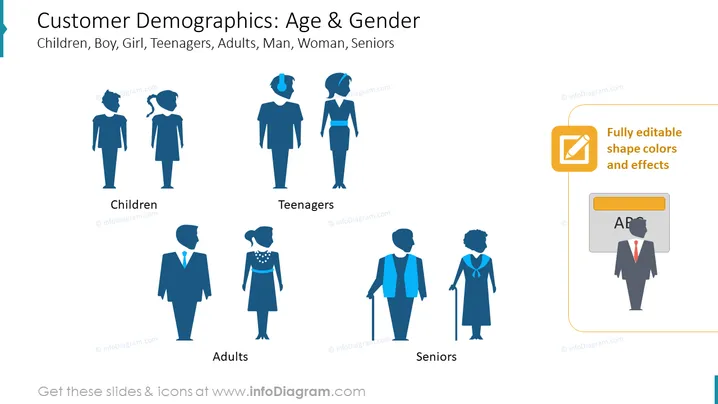
The slide presents different demographics categorized by age and gender. It visually represents the following groups: Children, Teenagers, Adults, and Seniors. Each age group is paired with an icon of a male and female figure. "Children" are represented by a young boy and girl, capturing the essence of youth. "Teenagers" depict an adolescent boy and girl, with attire hinting at a more casual, youthful style. "Adults" show mature male and female figures dressed professionally, portraying the working-age demographic. "Seniors" are illustrated with an elderly man and woman, the man with a cane, suggesting the advanced age of this group.
Graphical Look
- The slide background is white, providing a clean and neutral canvas for content.
- The slide title "Customer Demographics: Age & Gender" is prominently displayed at the top in large, bold text.
- Below the title, there is a subtitle with keywords related to the slide's focus.
- Icons representing people are aligned horizontally across the slide, each with a label beneath: "Children," "Teenagers," "Adults," and "Seniors."
- The people icons are stylized and gender-distinct: males wearing trousers and females wearing dresses or skirts.
- Icons have a consistent color scheme, appearing in various shades of blue.
- To the right of the icons, there is a text box with a yellow icon and the statement "Fully editable shape colors and effects," implying customization options.
The overall look of the slide is modern and professional, with clear distinct figures representing various demographic groups. The color scheme is cohesive, employing shades of blue to unify the graphical elements on the slide.
Use Cases
- To segment a market in a business proposal or marketing strategy presentation, visually demonstrating the target audience by age and gender.
- Within a product development meeting to highlight who the products are intended for and to discuss design adaptations for different demographic segments.
- In a sales strategy or retail planning presentation to analyze customer demographics and tailor sales techniques to specific groups.
- During demographic research presentations to visualize age and gender distributions within a study population or survey results.
How to Edit
How to edit text & colors

How to expand / shorten diagram

How to Replace Icons in infoDiagram PPT


