
Reviews
Sus gráficos añaden un toque agradable a mis presentaciones y recientemente los usé para una de mis reuniones generales. Su conjunto de herramientas añade profesionalismo a mis diapositivas. En lugar de usar imágenes prediseñadas estándar.
Necesitaba un aspecto fresco para algunas de mis diapositivas. Había intentado encontrar una forma de crear un efecto de pincel, de subrayar, acentuar, añadir algo de color y los marcadores escritos a mano fueron justo lo que necesitaba. Muy fácil de usar, fácil de ajustar el tamaño, cambiar el color. Fue una solución asequible y perfecta, y estoy feliz de recomendarla.
El aspecto nítido y limpio de los gráficos, y el hecho de que me permitiera editar y cambiar fácilmente los colores para que coincidieran con la plantilla fue mi principal razón para comprarlos.
Description
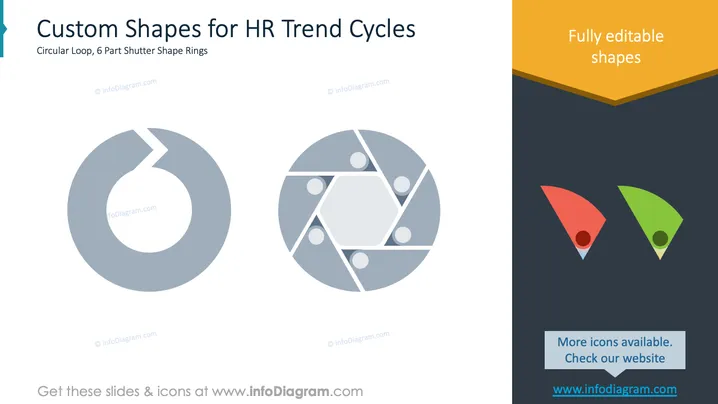
Custom Shapes for HR Trend Cycles
Slide Content
The slide presents two custom shapes, ideal for displaying HR trend cycles. The first shape is a circular loop, symbolizing continuity and progress over time. The second is a 6-part shutter shape ring, representing divisions in a cycle, suitable for phases or steps. Each piece suggests a segmentation within an ongoing process.
Graphical Look
- Two large circular designs are the central focus, each with a unique segmented appearance.
- The left shape is a solid circular loop with a small section missing.
- The right shape consists of overlapping triangular sections forming a hexagonal center.
- On the right side, a vertical orange banner indicates fully editable shapes with vibrant text.
- Below this, two small triangular icons in red and green, complemented by a blue label pointing to additional available icons.
The slide is visually balanced with large, central shapes and contrasting colorful elements on the side. It effectively displays an organized and professional layout.
Use Cases
- Ideal for presentations on HR management processes or trends.
- Useful for explaining cyclical processes or stages in project management.
- Suitable for depicting phases in continuous improvement initiatives.
- Can be used in workshops to illustrate ongoing development cycles.
How to Edit
How to edit text & colors

How to expand / shorten diagram

How to Replace Icons in infoDiagram PPT


