
Reviews
Sus gráficos añaden un toque agradable a mis presentaciones y recientemente los usé para una de mis reuniones generales. Su conjunto de herramientas añade profesionalismo a mis diapositivas. En lugar de usar imágenes prediseñadas estándar.
Necesitaba un aspecto fresco para algunas de mis diapositivas. Había intentado encontrar una forma de crear un efecto de pincel, de subrayar, acentuar, añadir algo de color y los marcadores escritos a mano fueron justo lo que necesitaba. Muy fácil de usar, fácil de ajustar el tamaño, cambiar el color. Fue una solución asequible y perfecta, y estoy feliz de recomendarla.
El aspecto nítido y limpio de los gráficos, y el hecho de que me permitiera editar y cambiar fácilmente los colores para que coincidieran con la plantilla fue mi principal razón para comprarlos.
Description
Creative Hand Drawn Style Tables
Slide Content
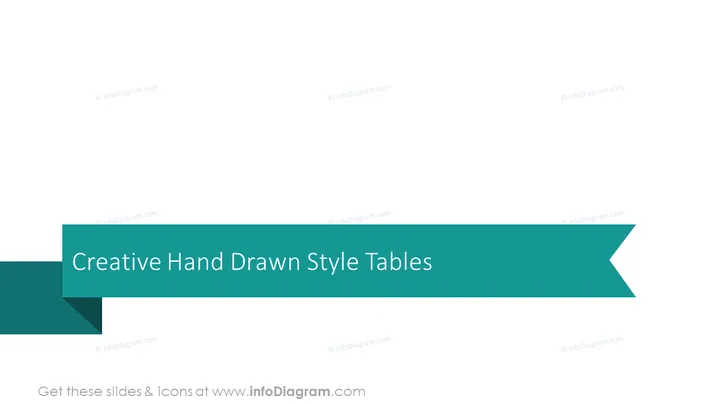
The slide seems to depict the title for a section or collection within a PowerPoint presentation focusing on "Creative Hand Drawn Style Tables". These probably refer to table designs that simulate a sketched appearance, giving presentations a more personalized and organic feel as opposed to the typical digital, grid-like appearance of standard tables.
Graphical Look
- The slide features a large, teal-colored banner in a horizontal layout that spans across the middle of the slide.
- Within this banner, the slide title "Creative Hand Drawn Style Tables" is centrally aligned, written in a large, white, sans-serif font.
- The banner has a ribbon-like design with a fold on the left side, creating a three-dimensional effect, as if it's partly rolled up.
- The right end of the banner extends off the slide, culminating in a pointed, arrow-like shape, suggesting progression or direction.
- The slide's background is a soft, muted gray, contrasting with the vibrant teal of the banner.
- The composition is clean and minimalistic, putting emphasis on the title text.
The graphical look of the slide is simple yet stylish, utilizing contrasting colors and a banner with a subtle three-dimensional effect to create visual interest. This minimalist design directs the viewer's attention primarily to the slide's title.
Use Cases
- Introducing a new section within a presentation on innovative data presentation techniques utilizing hand-drawn visuals.
- Leading into a creative workshop or training session that educates on making data more approachable and engaging through artistic table formats.
- Utilization in a marketing pitch to showcase the company's attention to unique branding and customized graphical elements.
- Transitioning in a webinar or educational material between conventional data representation and more imaginative alternatives for displaying information.
How to Edit
How to edit text & colors

How to expand / shorten diagram

How to Replace Icons in infoDiagram PPT


