
Reviews
Your graphics add a nice touch to my presentations and I recently used them for one of my all-hands meetings. Your toolbox adds professionalism to my slides. Instead of using standard clipart.
I needed a fresh look at some of my slides. I've tried to find a way to create a paintbrush effect, to underline, accentuate, add some color and the handwritten markers were just the things. Very easy to use, easy to size, change the color. It was an affordable, perfect solution and I'm happy to recommend it.
The crisp, clean look of the graphics, and the fact that it allowed me to easily edit and change the colors to match the template was my main reason for purchasing them.
Description
Writing as a text
Slide Content
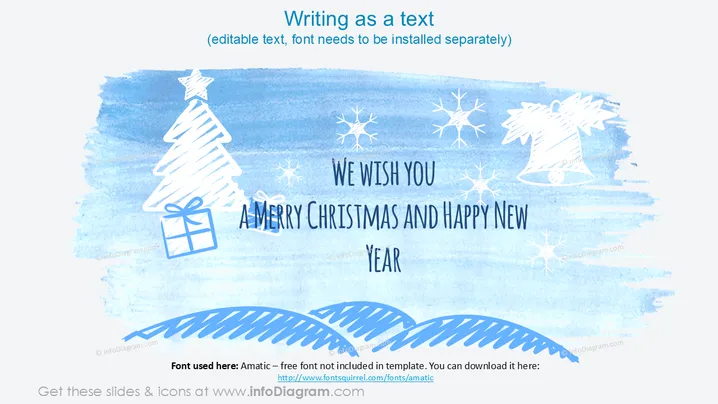
The slide appears to be a festive holiday greeting with the message "We wish you a Merry Christmas and Happy New Year." It conveys a sense of celebration and well-wishing for the festive season. The text is styled in a casual, handwritten font, which suggests a personal touch to the greeting. There are no other items or concepts to expand upon.
Graphical Look
- The slide features a watercolor background in shades of blue, creating a winter-themed atmosphere.
- Hand-drawn, white-colored illustrations of Christmas symbols such as a tree, gifts, snowflakes, and a bell are scattered across the slide.
- The greeting text is in a large, playful, handwritten font.
- Gently curving lines resembling hills or snow drifts are depicted at the bottom of the slide.
- There is a noticeable contrast between the white illustrations and text against the blue background.
- The layout is horizontal, balancing the text and illustrations symmetrically.
The slide has an artistic, cheerful look with a casual, freehand style that sets a festive and welcoming mood.
Use Cases
- As a closing slide for a business presentation during the holiday season to extend festive greetings.
- As an email attachment or digital card sent to clients or colleagues to convey holiday wishes.
- Incorporated into a company's holiday-themed newsletter or social media post.
- Used during a virtual company holiday event as part of the presentation or digital decorations.
How to Edit
How to edit text & colors

How to expand / shorten diagram

How to Replace Icons in infoDiagram PPT


