
Reviews
Your graphics add a nice touch to my presentations and I recently used them for one of my all-hands meetings. Your toolbox adds professionalism to my slides. Instead of using standard clipart.
I needed a fresh look at some of my slides. I've tried to find a way to create a paintbrush effect, to underline, accentuate, add some color and the handwritten markers were just the things. Very easy to use, easy to size, change the color. It was an affordable, perfect solution and I'm happy to recommend it.
The crisp, clean look of the graphics, and the fact that it allowed me to easily edit and change the colors to match the template was my main reason for purchasing them.
Description
Slide Content
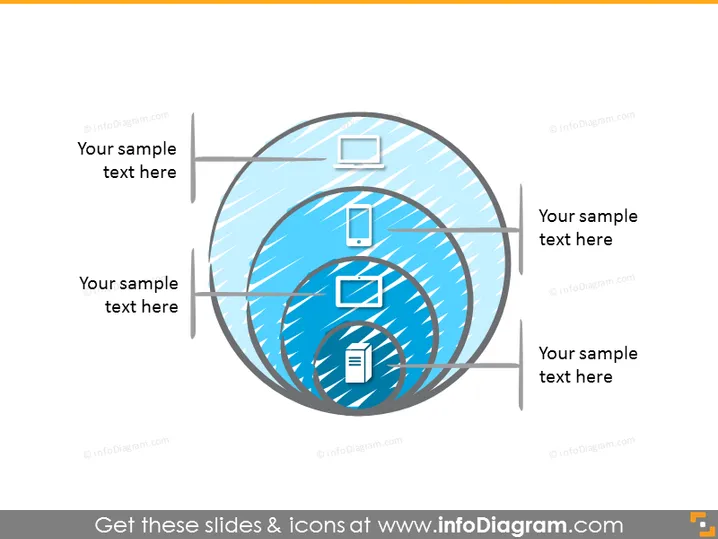
This slide appears to be a diagrammatic representation of a process, system, or concept that involves four components. Each component is associated with a placeholder for text, likely to describe or label that portion of the diagram. The graphic doesn't convey a specific theme on its own, thus the purpose of each segment would depend on the text entered by the presenter.
Graphical Look
- The image consists of a large, blue-toned spherical object at the center with a distinctive white network-like pattern across its surface.
- There are four flat icons placed in a circular pattern within the spherical object.
- Each icon represents a different item: a tablet, a smartphone, a larger screen (possibly a monitor or a TV), and a document.
- Outward from each icon are light grey lines that connect to labels with placeholders for text, which are situated outside of the sphere.
- The sphere is placed on a white background, giving it a clean and modern look.
The slide has a clean, technological feel with a blue and grey color scheme that suggests connectivity or networking. The use of familiar tech icons indicates a link to digital or information technology-related content.
Use Cases
- Illustrating the components of a digital ecosystem, such as devices connected within an IoT network.
- Explaining the correlation between different informational platforms or media channels in a marketing strategy.
- Demonstrating the flow of data or information in a technology-related presentation.
- Representing a process or system overview in IT infrastructure briefings or educational sessions.
How to Edit
How to edit text & colors

How to expand / shorten diagram

How to Replace Icons in infoDiagram PPT


