
Reviews
Your graphics add a nice touch to my presentations and I recently used them for one of my all-hands meetings. Your toolbox adds professionalism to my slides. Instead of using standard clipart.
I needed a fresh look at some of my slides. I've tried to find a way to create a paintbrush effect, to underline, accentuate, add some color and the handwritten markers were just the things. Very easy to use, easy to size, change the color. It was an affordable, perfect solution and I'm happy to recommend it.
The crisp, clean look of the graphics, and the fact that it allowed me to easily edit and change the colors to match the template was my main reason for purchasing them.
Description
Cover Letter - Plain
Slide Content
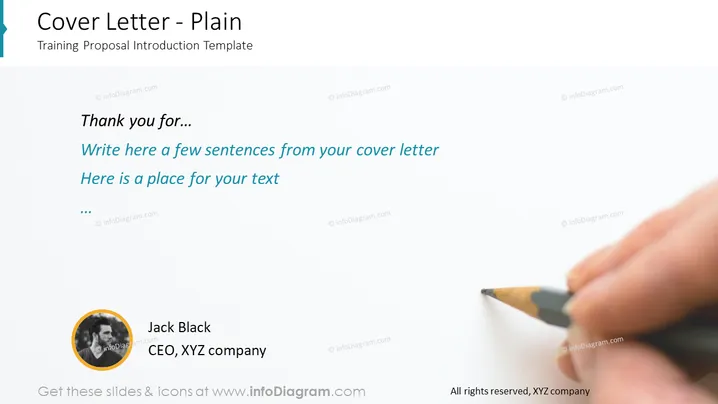
The slide is titled "Cover Letter - Plain" and is labeled as a "Training Proposal Introduction Template." The content is meant for crafting a cover letter, with placeholders prompting the user to "Write here a few sentences from your cover letter" and "Here is a place for your text." The slide also features a section thanking the recipient. The placeholders suggest where to input specific personalized text and show appreciation, indicating an individual approach.
Graphical Look
- The slide background is a gradient of white to light gray.
- On the left, the slide title "Cover Letter - Plain" appears prominently in a large, dark font, followed by a subtitle "Training Proposal Introduction Template" in a smaller font.
- On the right, there is a large, high-quality image of a hand holding a pencil, as if writing, representing the act of drafting a cover letter.
- Center-left features three text placeholders in varying font sizes and the first line written in italic, mimicking an introductory line in a cover letter.
- The bottom left corner has a circular profile picture placeholder with a default image and two lines of text beneath, one for a name and one for a title, implying the sender's identity.
- The profile picture is framed in a gold-yellow circle.
- The entire layout is minimalistic and the use of space suggests focus on content over design elements.
The slide design is very simple and professional, using a large part of the image to convey the concept of writing a cover letter. The subdued use of color and ample white space give it a clean and modern feel.
Use Cases
- To introduce a training proposal in a corporate environment, personalizing it with a brief cover letter.
- When delivering a personal introduction during business presentations, relating to job applications or project proposals.
- As part of a portfolio or resume presentation during job fairs or career workshops.
- To provide a template for individuals at workshops on how to craft effective and personalized cover letters during sessions on professional development and job application strategies.
How to Edit
How to edit text & colors

How to expand / shorten diagram

How to Replace Icons in infoDiagram PPT


