
Reviews
Sus gráficos añaden un toque agradable a mis presentaciones y recientemente los usé para una de mis reuniones generales. Su conjunto de herramientas añade profesionalismo a mis diapositivas. En lugar de usar imágenes prediseñadas estándar.
Necesitaba un aspecto fresco para algunas de mis diapositivas. Había intentado encontrar una forma de crear un efecto de pincel, de subrayar, acentuar, añadir algo de color y los marcadores escritos a mano fueron justo lo que necesitaba. Muy fácil de usar, fácil de ajustar el tamaño, cambiar el color. Fue una solución asequible y perfecta, y estoy feliz de recomendarla.
El aspecto nítido y limpio de los gráficos, y el hecho de que me permitiera editar y cambiar fácilmente los colores para que coincidieran con la plantilla fue mi principal razón para comprarlos.
Description
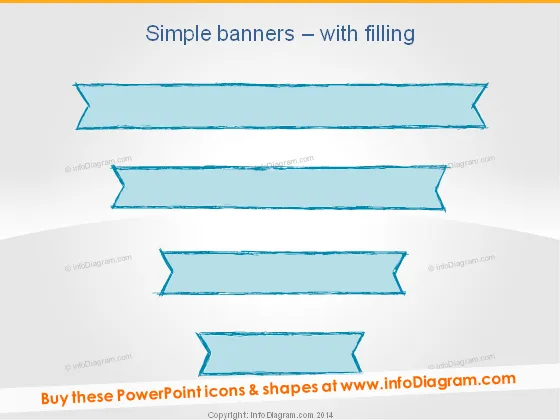
Simple banners – with filling
Slide Content
The slide displays a collection of "Simple banners – with filling" which are likely intended for textual content overlay within a presentation. These graphical elements are designed to highlight information, create subdivisions in the presentation, or reveal categorical separations or headings. Banners of this type are often used to draw attention to key points and make text stand out against complex backgrounds or alongside other visual content.
Graphical Look
- The slide's background is a gradient from white at the bottom to a pale blue at the top.
- There are four banner graphics, each with a different style, arranged vertically.
- The banners are colored in shades of blue with an artistic, textured fill.
- Each banner has a sketchy, hand-drawn border giving it an informal, creative appearance.
- The shape of the banners is rectangular with varying degrees of ribbon-like folds and curves.
- No additional graphical elements or text beyond the title and banners are present.
The overall look of the slide is clean and artistically informal. The textured banners against the gradient background give the impression of a modern and casual design approach suitable for creative or informal presentations.
Use Cases
- Highlighting section titles or headings within a business presentation to separate different topics.
- Emphasizing key points or strategic objectives during a marketing or sales pitch to draw attention.
- Serving as text containers for quotes or testimonials in a corporate training or educational slideshow.
- Utilizing as visual placeholders for labels within an infographic that is being presented to stakeholders.
How to Edit
How to edit text & colors

How to expand / shorten diagram

How to Replace Icons in infoDiagram PPT


