
Reviews
The icons are fantastic, easy to use, and will add value to any project or presentation. Keep up the great work.
I love how simple infoDiagram's solutions are and the personal interest they took in my work. Recommended 1000%!
The crisp, clean look of the graphics, and the fact that it allowed me to easily edit and change the colors to match the template was my main reason for purchasing them.
Description
Country Market Drivers vs. Inhibitors
Slide Content
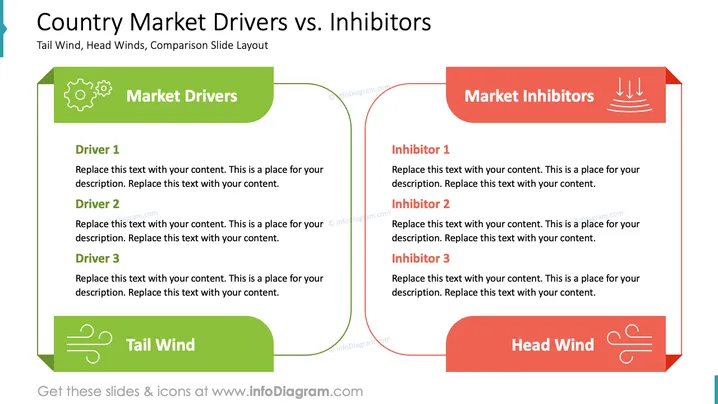
The slide presents a comparison of market drivers and inhibitors. "Market Drivers" includes three drivers: each section allows for descriptions of motivating factors enhancing market growth. "Market Inhibitors" details three inhibitors, providing space to describe challenges that impede market success.
Graphical Look
- The slide is divided into two sections with a symmetrical layout.
- The left section is titled "Market Drivers" in a green rounded rectangle with a gear icon.
- The right section is titled "Market Inhibitors" in a red rounded rectangle with downward arrows.
- Each section contains three bullet-point items for describing drivers or inhibitors, using placeholder text.
- The bottom left features a green rectangle with a wind icon labeled "Tail Wind."
- The bottom right has a red rectangle with a wind icon labeled "Head Wind."
- Arrows, icons, and color distinctions enhance visual separation and understanding.
The overall look is clean and professional, using a balanced design and vibrant colors to effectively categorize and convey information. It facilitates quick comparison of positive and negative market factors.
Use Cases
- Presenting a market analysis in business meetings.
- Discussing strategic planning with stakeholders.
- Comparing factors affecting product launches.
- Analyzing competitive market dynamics.
How to Edit
How to edit text & colors

How to expand / shorten diagram

How to Replace Icons in infoDiagram PPT


