

Your graphics add a nice touch to my presentations and I recently used them for one of my all-hands meetings. Your toolbox adds professionalism to my slides. Instead of using standard clipart.
Claude Jones, Director of Engineer, @Walmartlabs, USA

Your graphics add a nice touch to my presentations and I recently used them for one of my all-hands meetings. Your toolbox adds professionalism to my slides. Instead of using standard clipart.
Claude Jones, Director of Engineer, @Walmartlabs, USA
I needed a fresh look at some of my slides. I've tried to find a way to create a paintbrush effect, to underline, accentuate, add some color and the handwritten markers were just the things. Very easy to use, easy to size, change the color. It was an affordable, perfect solution and I'm happy to recommend it.
Anonymous, US
The crisp, clean look of the graphics, and the fact that it allowed me to easily edit and change the colors to match the template was my main reason for purchasing them.
Brandie Jenkins, E-learning Developer, USA
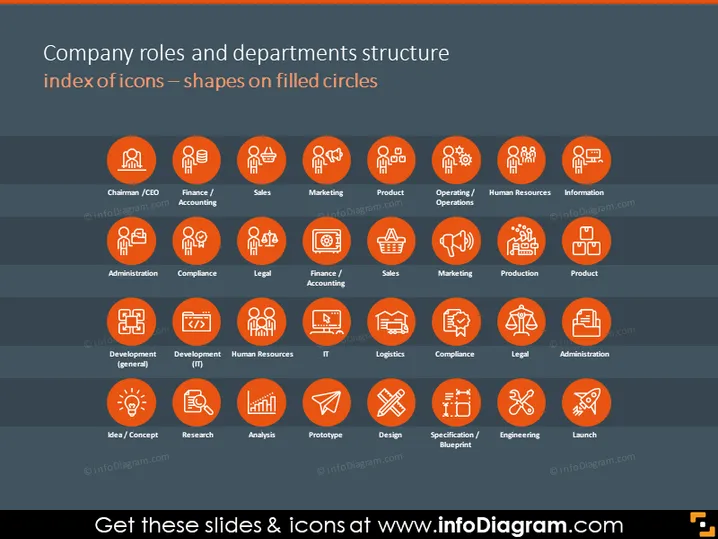
The PowerPoint slide titled "Company roles and departments structure index of icons — shapes on filled circles" depicts a variety of icons representing different company roles and departments. Each icon is enclosed within an orange circle, and the associated role or department name is listed below it. The roles include Chairman/CEO, Finance/Accounting, Human Resources, and IT, among others. The slide is structured in a grid format, with icons organized in rows and represents the comprehensive framework of a corporate organizational structure, with each icon visually delineating a specific function essential in a business environment.
The overall look of the slide is sleek and professional, with a clear hierarchy and structure that facilitates easy comprehension. Each icon is distinct yet part of a unified visual theme that emphasizes order and clarity.



