
Reviews
The icons are fantastic, easy to use, and will add value to any project or presentation. Keep up the great work.
I love how simple infoDiagram's solutions are and the personal interest they took in my work. Recommended 1000%!
The crisp, clean look of the graphics, and the fact that it allowed me to easily edit and change the colors to match the template was my main reason for purchasing them.
Description
Conveyor Belt Timeline Template – 8 steps
Slide Content
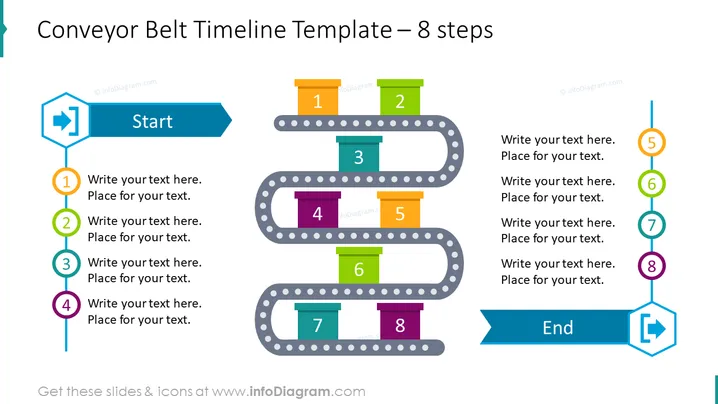
This slide presents a conveyor belt as a metaphor for a timeline with 8 steps, illustrating a process or journey from start to finish. Each step is represented by a numbered box along the path of the conveyor belt, with space for text to describe the respective phase or action. The steps are connected by a dotted line, enhancing the sense of progression through distinct stages.
Graphical Look
- A large title at the top in bold blue font reads "Conveyor Belt Timeline Template – 8 steps"
- The conveyor belt graphic features two parallel, gray, dotted lines that weave horizontally across the slide, creating a sense of movement or flow.
- Circular numbered elements (from 1 to 8) are placed on the belt, with matching colored tabs protruding upwards where text can be added.
- A blue, directional arrow icon labeled "Start" points to the beginning of the conveyor belt on the left side of the slide.
- A matching blue arrow icon at the end of the belt signifies the "End", pointing towards the right.
- Each paired section of the conveyor belt corresponds with stages 1-4 and 5-8, represented by vertically stacked numbered boxes with colored headers linked by a dotted line.
The slide uses a harmonious color scheme with blue, teal, orange, green, and purple elements that are eye-catching and clearly distinguish each step in the timeline. The design is sleek and modern, utilizing geometric shapes to guide the viewer through the conceptual process.
Use Cases
- Illustrating the phases of a project from initiation to completion during a business meeting or presentation.
- Describing the steps involved in a manufacturing process in an educational or training context.
- Visualizing product development lifecycle stages in a marketing presentation.
- Outlining a roadmap for implementing a new strategy or initiative to stakeholders.
How to Edit
How to edit text & colors

How to expand / shorten diagram

How to Replace Icons in infoDiagram PPT


