
Reviews
Vos graphiques ajoutent une belle touche à mes présentations et je les ai récemment utilisés pour l'une de mes réunions générales. Votre boîte à outils ajoute du professionnalisme à mes diapositives. Au lieu d'utiliser des cliparts standards.
J'avais besoin d'un nouveau regard sur certaines de mes diapositives. J'ai essayé de trouver un moyen de créer un effet de pinceau, de souligner, d'accentuer, d'ajouter de la couleur et les marqueurs manuscrits étaient exactement ce qu'il fallait. Très facile à utiliser, facile à ajuster la taille, à changer la couleur. C'était une solution abordable et parfaite et je suis heureux de la recommander.
L'aspect net et épuré des graphiques, et le fait qu'il m'ait permis d'éditer et de changer facilement les couleurs pour les adapter au modèle, ont été les principales raisons de mon achat.
Description
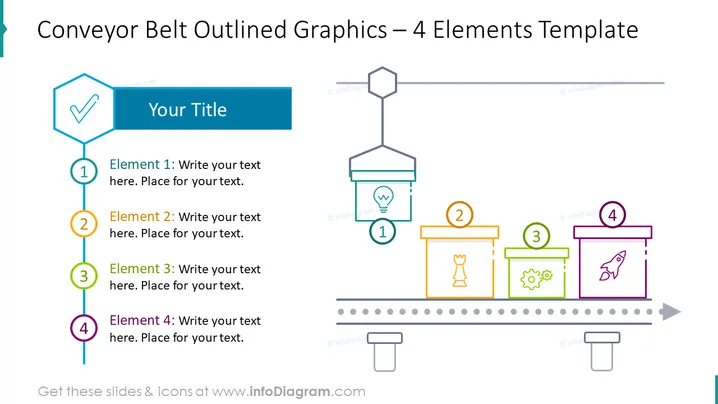
Conveyor Belt Outlined Graphics – 4 Elements Template
Slide Content
The slide is designed to showcase a process or workflow with four key elements. Each element is visually represented as a package on a conveyor belt, indicating a step or a part of a sequence.
- Element 1 corresponds to the initial step, marked by a blue number within a circle and associated text space for detailed explanation.
- Element 2 is the second step with an orange number and has a dedicated text space.
- Element 3 is denoted with a green number, continuing the sequence with space for explanation.
- Element 4 is the final step, highlighted in purple, completing the sequence with its own text description.
Graphical Look
- The title is presented in a large blue text block with a white font.
- Four hexagonal icons, each with a different color outline and number, are aligned from left to right, resembling a conveyor belt.
- Each hexagon is connected by a solid line that carries through the middle of the slide, simulating the belt's movement.
- Corresponding to each numbered hexagon, a stylized package icon hangs below, each with a unique symbol (checkmark, lightbulb, gears, rocket) consistent with its color theme.
- Lines of grey dots represent the conveyor belt below the package icons, enhancing the conveyor concept.
- Placeholder text is provided below each step for additional details and customization.
- The four steps are evenly spaced, creating a balanced and organized appearance.
The slide has a modern, clean design with a mixture of bold colors and outlined vectors. The conveyance of a process is clearly illustrated through the interconnected flow of the numbered elements.
Use Cases
- Explaining a multi-step business process or workflow during a corporate presentation.
- Showcasing product development stages from ideation to launch in an investor pitch.
- Illustrating the sequence of events in a project management training.
- Visualizing customer service protocols in an instructional company meeting.
How to Edit
How to edit text & colors

How to expand / shorten diagram

How to Replace Icons in infoDiagram PPT


