
Reviews
Ihre Grafiken verleihen meinen Präsentationen eine nette Note, und ich habe sie kürzlich für eines meiner All-Hands-Meetings verwendet. Ihre Toolbox verleiht meinen Folien Professionalität, anstatt Standard-Clipart zu verwenden.
Ich brauchte einen neuen Blick auf einige meiner Folien. Ich habe versucht, einen Weg zu finden, einen Pinselschlag-Effekt zu erzielen, um zu unterstreichen, hervorzuheben, Farbe hinzuzufügen, und die handgeschriebenen Markierungen waren genau das Richtige. Sehr einfach zu bedienen, leicht in der Größe zu ändern, die Farbe zu ändern. Es war eine erschwingliche, perfekte Lösung und ich empfehle sie gerne weiter.
Die klare, saubere Optik der Grafiken und die Tatsache, dass ich die Farben leicht bearbeiten und an die Vorlage anpassen konnte, war mein Hauptgrund für den Kauf.
Description
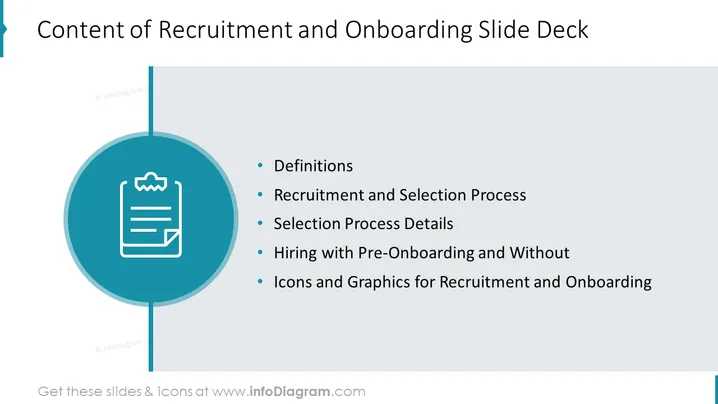
Content of Recruitment and Onboarding Slide Deck
This PowerPoint slide presents the content of a recruitment and onboarding slide deck. The slide has a blue background with a large teal circle in the center. Inside the circle, there is a white clipboard icon with a checkmark on it, symbolizing the completion of a task or process.
The text on the slide reads "Content of Recruitment and Onboarding Slide Deck". This title indicates that the slide will provide an overview or table of contents for a presentation on recruitment and onboarding.
Below the circle, there is a bulleted list with the following items:
- Definitions: of key terms and concepts used in recruitment and onboarding.
- Recruitment and Selection Process: an overview of how potential employees are identified, interviewed, and chosen.
- Hiring with Pre-Onboarding and Without: - comparison of two approaches to hiring - one where new hires are given information and training (pre-onboarding) before their start date, and one where they are not.
- Icons and Graphics for Recruitment and Onboarding: visual aids or infographics used in the presentation to illustrate key points about recruitment and onboarding.
Overall, this PPT slide uses infographics and modern design elements to present its content in a visually appealing way. The use of icons helps to represent complex ideas in a simple, easy-to-understand format. The color scheme of blue and teal gives the slide a professional look.
How to Edit
How to edit text & colors

How to expand / shorten diagram

How to Replace Icons in infoDiagram PPT


