
Your graphics add a nice touch to my presentations and I recently used them for one of my all-hands meetings. Your toolbox adds professionalism to my slides. Instead of using standard clipart.
Claude Jones, Director of Engineer, @Walmartlabs, USA
Your graphics add a nice touch to my presentations and I recently used them for one of my all-hands meetings. Your toolbox adds professionalism to my slides. Instead of using standard clipart.
Claude Jones, Director of Engineer, @Walmartlabs, USA
I needed a fresh look at some of my slides. I've tried to find a way to create a paintbrush effect, to underline, accentuate, add some color and the handwritten markers were just the things. Very easy to use, easy to size, change the color. It was an affordable, perfect solution and I'm happy to recommend it.
Anonymous, US
The crisp, clean look of the graphics, and the fact that it allowed me to easily edit and change the colors to match the template was my main reason for purchasing them.
Brandie Jenkins, E-learning Developer, USA
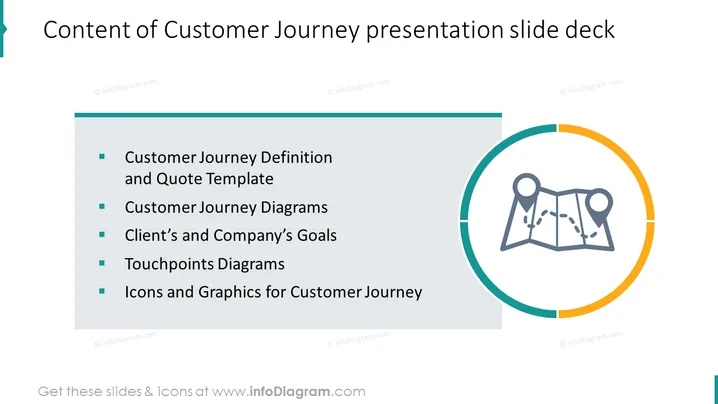
The PowerPoint slide summarizes the components of a Customer Journey presentation slide deck. It provides an outline that includes the "Customer Journey Definition and Quote Template," which likely covers foundational concepts and customizable templates for quotations. The "Customer Journey Diagrams" item suggests visual representations of customer interactions with the product or service. "Client’s and Company’s Goals" indicates a section that aligns the objectives of both parties. "Touchpoints Diagrams" may visualize the various stages where customers engage with the business. Lastly, "Icons and Graphics for Customer Journey" suggests the inclusion of visual aids to enhance the presentation's clarity and engagement.
The slide is sleek and minimalist, with a simple color scheme that directs focus to the content and the central infographic. The map graphic is thematically linked to the concept of a 'journey', reinforcing the subject of the slide.




