
Reviews
Sus gráficos añaden un toque agradable a mis presentaciones y recientemente los usé para una de mis reuniones generales. Su conjunto de herramientas añade profesionalismo a mis diapositivas. En lugar de usar imágenes prediseñadas estándar.
Necesitaba un aspecto fresco para algunas de mis diapositivas. Había intentado encontrar una forma de crear un efecto de pincel, de subrayar, acentuar, añadir algo de color y los marcadores escritos a mano fueron justo lo que necesitaba. Muy fácil de usar, fácil de ajustar el tamaño, cambiar el color. Fue una solución asequible y perfecta, y estoy feliz de recomendarla.
El aspecto nítido y limpio de los gráficos, y el hecho de que me permitiera editar y cambiar fácilmente los colores para que coincidieran con la plantilla fue mi principal razón para comprarlos.
Description
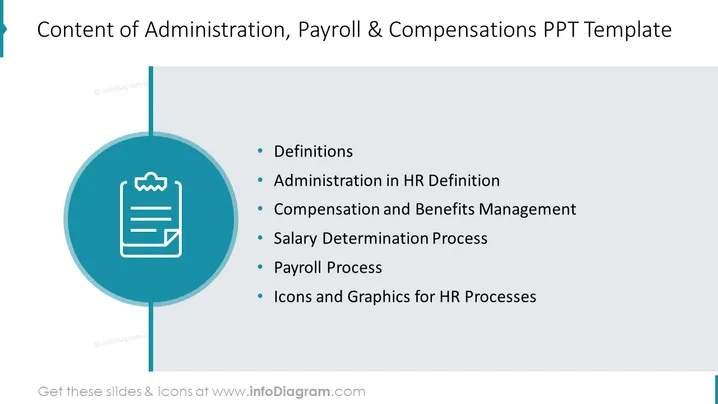
Content of Administration, Payroll & Compensations PPT Template
Slide Content
The PowerPoint slide outlines the key components of a template focused on Administration, Payroll, and Compensations. It includes "Definitions," clarifying terms related to the topic; "Administration in HR Definition," detailing the roles in human resources; "Compensation and Benefits Management," outlining the approach to employee remuneration; "Salary Determination Process," explaining how salaries are decided; "Payroll Process," describing the steps to process employee payments; and "Icons and Graphics for HR Processes," suggesting visual aids to represent HR procedures.
Graphical Look
- The slide background is clean and white, keeping the focus on the content.
- A large, teal-colored circle is centrally placed, functioning as a backdrop for a white clipboard icon with a checkmark, symbolizing documentation or administration.
- A thin, vertical line connects the circle to the top of the slide, suggesting a relationship between the title and the central icon.
- On the right side, a list of six bulleted points is displayed in a large, readable font, with ample space between each point for clarity.
- Each bulleted point corresponds to a different aspect of HR administration and is written succinctly for easy comprehension.
- No additional graphics or images distract from the information provided.
The slide is professionally designed with a simple and intuitive layout. The use of teal and white gives it a modern and corporate feel.
Use Cases
- Presenting a training session for HR staff on the core aspects of their role and responsibilities.
- Introducing new software or tools related to payroll and compensation services during a company-wide meeting.
- Outlining the structure of an HR department to new employees or during an organizational restructuring meeting.
- Using as part of a larger presentation in a business pitch to show potential clients your company's expertise in HR processes.
How to Edit
How to edit text & colors

How to expand / shorten diagram

How to Replace Icons in infoDiagram PPT


