
Reviews
Vos graphiques ajoutent une belle touche à mes présentations et je les ai récemment utilisés pour l'une de mes réunions générales. Votre boîte à outils ajoute du professionnalisme à mes diapositives. Au lieu d'utiliser des cliparts standards.
J'avais besoin d'un nouveau regard sur certaines de mes diapositives. J'ai essayé de trouver un moyen de créer un effet de pinceau, de souligner, d'accentuer, d'ajouter de la couleur et les marqueurs manuscrits étaient exactement ce qu'il fallait. Très facile à utiliser, facile à ajuster la taille, à changer la couleur. C'était une solution abordable et parfaite et je suis heureux de la recommander.
L'aspect net et épuré des graphiques, et le fait qu'il m'ait permis d'éditer et de changer facilement les couleurs pour les adapter au modèle, ont été les principales raisons de mon achat.
Description
Content of Digital Transformation Deck
Slide Content
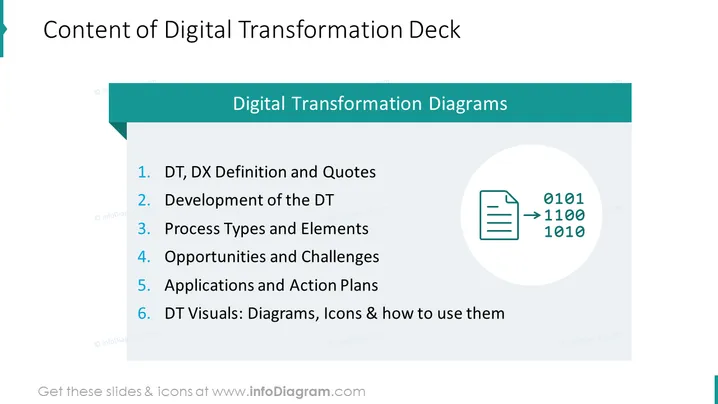
The slide outlines the agenda for a presentation on digital transformation, beginning with definitions and quotes (DT, DX Definition and Quotes), detailing the development process (Development of the DT), identifying various process types and elements, considering potential opportunities and challenges, discussing applications and action plans, and concluding with an examination of visual tools like diagrams and icons (DT Visuals: Diagrams, Icons & how to use them).
Graphical Look
- The slide has a large title at the top left corner in bold black text against a white background.
- A teal horizontal banner spans across the middle with white text stating "Digital Transformation Diagrams".
- A numbered list from one to six is aligned to the left, detailing the content of the presentation.
- Each list item begins with a blue numeral followed by a description in black text.
- To the right of the list is a graphic of a document with binary code, encircled by a light grey ring.
The slide has a clean and professional look, with a clear distinction between the title, subtitle, and body content using color blocks and typography. The graphical element adds a modern and thematic touch to the presentation's agenda.
Use Cases
- Introducing the topics of a workshop or seminar on digital transformation.
- Setting the agenda for a company meeting focused on digital strategy implementation.
- Outlining a lecture or educational session dedicated to understanding digital transformation.
- Providing an overview of content at the beginning of a webinar series on technology and business innovation.
How to Edit
How to edit text & colors

How to expand / shorten diagram

How to Replace Icons in infoDiagram PPT


