
Reviews
Sus gráficos añaden un toque agradable a mis presentaciones y recientemente los usé para una de mis reuniones generales. Su conjunto de herramientas añade profesionalismo a mis diapositivas. En lugar de usar imágenes prediseñadas estándar.
Necesitaba un aspecto fresco para algunas de mis diapositivas. Había intentado encontrar una forma de crear un efecto de pincel, de subrayar, acentuar, añadir algo de color y los marcadores escritos a mano fueron justo lo que necesitaba. Muy fácil de usar, fácil de ajustar el tamaño, cambiar el color. Fue una solución asequible y perfecta, y estoy feliz de recomendarla.
El aspecto nítido y limpio de los gráficos, y el hecho de que me permitiera editar y cambiar fácilmente los colores para que coincidieran con la plantilla fue mi principal razón para comprarlos.
Description
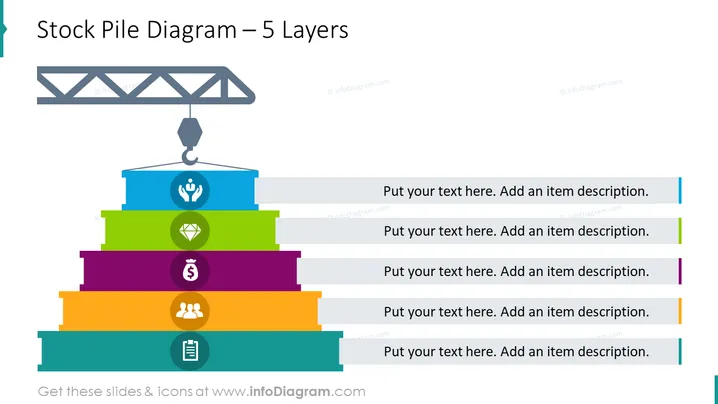
Stock Pile Diagram – 5 Layers
Slide Content
The slide titled "Stock Pile Diagram – 5 Layers" presents a metaphorical representation of a stockpile with five colorful layers, each with an icon and space for text. The top layer features a crane hook icon, signifying possible lifting or starting point. Subsequent layers include icons for teamwork, finance, gem (indicative of value or quality), and a clipboard (perhaps representing planning or reporting). Each layer has a placeholder for textual content to elaborate on these concepts, allowing for a structured breakdown of a process or organizational elements.
Graphical Look
- The slide features a large, stacked, five-layered pyramid diagram.
- Each layer of the pyramid is a different bright color—blue, green, purple, orange, and teal, from top to bottom.
- To the right of the pyramid, there are text placeholders aligned with each layer, marked by a colored line corresponding to the associated layer's color.
- Each layer contains a white icon in the center depicting different concepts: a crane hook, a hand with care symbol, a diamond, a dollar sign, and a group of people.
- The bottom layer has an additional icon at the very bottom, a clipboard.
- Above the pyramid, a gray crane structure is illustrated, with its hook part of the topmost layer, giving an impression of construction or layer addition.
The slide features a clean and colorful design with a clear hierarchical structure. The visual elements like the crane and icons are designed to guide the viewer's understanding of the layer's intended meaning or function.
Use Cases
- Explaining multi-layered strategies or models in a business presentation.
- Illustrating a company's project phases or milestone achievements in a visually engaging way.
- Demonstrating organizational structure or various operational levels within a department.
- Providing an overview of a product's value proposition, broken down into key components.
How to Edit
How to edit text & colors

How to expand / shorten diagram

How to Replace Icons in infoDiagram PPT


