
Reviews
Your graphics add a nice touch to my presentations and I recently used them for one of my all-hands meetings. Your toolbox adds professionalism to my slides. Instead of using standard clipart.
I needed a fresh look at some of my slides. I've tried to find a way to create a paintbrush effect, to underline, accentuate, add some color and the handwritten markers were just the things. Very easy to use, easy to size, change the color. It was an affordable, perfect solution and I'm happy to recommend it.
The crisp, clean look of the graphics, and the fact that it allowed me to easily edit and change the colors to match the template was my main reason for purchasing them.
Description
Ordered List of Building Elements – 4 Steps Diagram
Slide Content
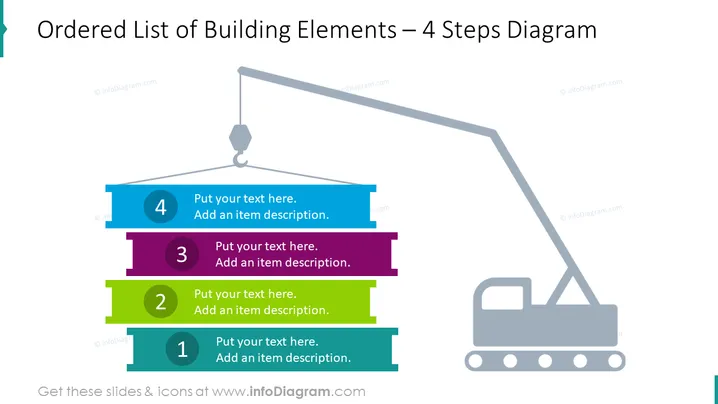
The PowerPoint slide titled "Ordered List of Building Elements – 4 Steps Diagram" visualizes a sequential construction or development process. It features a series of four horizontal colored bars, numbered from 1 to 4, each with placeholder text indicating where a short description should be entered. The diagram serves as a metaphor for building or layering concepts, with the chronological order implying the foundational significance of the lower numbers and subsequent building upon each level.
Graphical Look
- A series of four horizontal, three-dimensional bars, colored blue, green, purple, and teal, respectively, representing the steps.
- Each bar is marked with a large white number (1 to 4), signaling the sequence of steps.
- Placeholder text boxes are aligned next to each bar for custom text input.
- A crane graphic on the right side of the slide, with its arm extending towards the topmost bar, symbolizing the process of construction or development.
- The bars and the crane are displayed against a plain white background, providing high contrast for readability.
The slide is visually clean and minimalistic, using bold colors and simple shapes to create a sense of progression and construction. The three-dimensional effect on the bars in combination with the crane graphic provides a thematic consistency to the overall design, enhancing the construction metaphor.
Use Cases
- Explaining phased project timelines or sequential steps in a business plan presentation.
- Illustrating the hierarchy of tasks or priorities in a management or strategy meeting.
- Demonstrating stages of product development or service implementation in an investor pitch.
- Depicting layers of organizational change or educational content in a training session.
How to Edit
How to edit text & colors

How to expand / shorten diagram

How to Replace Icons in infoDiagram PPT


