
Reviews
Your graphics add a nice touch to my presentations and I recently used them for one of my all-hands meetings. Your toolbox adds professionalism to my slides. Instead of using standard clipart.
I needed a fresh look at some of my slides. I've tried to find a way to create a paintbrush effect, to underline, accentuate, add some color and the handwritten markers were just the things. Very easy to use, easy to size, change the color. It was an affordable, perfect solution and I'm happy to recommend it.
The crisp, clean look of the graphics, and the fact that it allowed me to easily edit and change the colors to match the template was my main reason for purchasing them.
Description
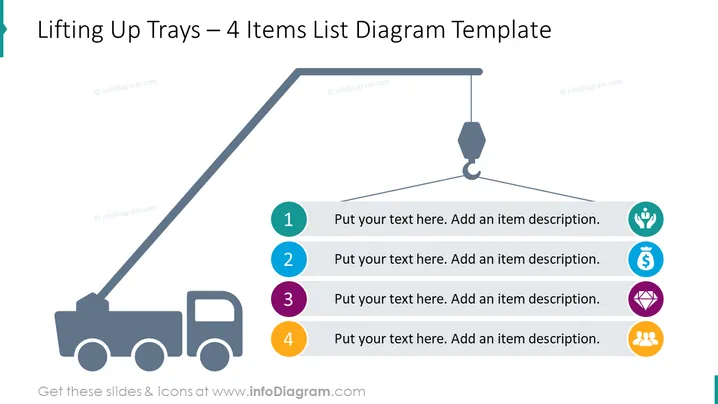
Lifting Up Trays – 4 Items List Diagram Template
Slide Content
The PowerPoint slide titled "Lifting Up Trays – 4 Items List Diagram Template" showcases a graphical representation of a concept or process being elevated, metaphorically through a lifting hook and crane. It includes four connected points numbered 1 to 4, where each point has a placeholder for text and an additional icon for visual representation, implying that each step or item can be further described or elaborated upon.
Graphical Look
- A large graphical crane with a hook is centrally displayed, creating a visual metaphor for lifting or elevating a concept.
- The crane's hook is connected to a horizontal bar that has four circular items hanging from it.
- Each circular item is distinguished by a unique color (teal, blue, purple, and yellow) and contains a number (1 to 4) indicating a sequential step or point.
- Adjacent to each circular item is a text placeholder that prompts the presenter to add a description for the corresponding item.
- Next to each text placeholder is an icon, symbolizing a potential type of content relevant to each item: a lightbulb, a hand with seeds, a coin with a dollar symbol, and a group of people or team icon.
The overall look of the slide is clean, colorful, and business-professional, using a dark text on a light background for clarity. The use of symbols and colors aids in distinguishing between the listed items.
Use Cases
- Illustrating progressive steps in a business process or workflow.
- Presenting multiple components of a project plan or strategy.
- Demonstrating the sequential stages in product development or service rollout.
- Highlighting key points in a presentation where each concept builds on the previous one.
How to Edit
How to edit text & colors

How to expand / shorten diagram

How to Replace Icons in infoDiagram PPT


