
Reviews
Sus gráficos añaden un toque agradable a mis presentaciones y recientemente los usé para una de mis reuniones generales. Su conjunto de herramientas añade profesionalismo a mis diapositivas. En lugar de usar imágenes prediseñadas estándar.
Necesitaba un aspecto fresco para algunas de mis diapositivas. Había intentado encontrar una forma de crear un efecto de pincel, de subrayar, acentuar, añadir algo de color y los marcadores escritos a mano fueron justo lo que necesitaba. Muy fácil de usar, fácil de ajustar el tamaño, cambiar el color. Fue una solución asequible y perfecta, y estoy feliz de recomendarla.
El aspecto nítido y limpio de los gráficos, y el hecho de que me permitiera editar y cambiar fácilmente los colores para que coincidieran con la plantilla fue mi principal razón para comprarlos.
Description
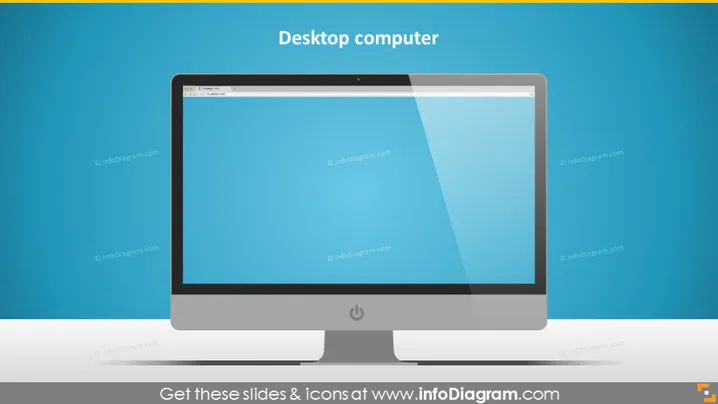
Desktop computer
Slide Content
The PowerPoint slide titled "Desktop computer" likely presents a topic related to either the technology of desktop computers, their components, or their use in various contexts. Although the content is not detailed within the provided description, the title suggests the slide might expand on aspects such as hardware specifications, the evolution of desktop computers, or their role in modern computing environments. Each item mentioned could be elaborated upon, such as hardware specifications detailing processor speed, memory, and storage capacity.
Graphical Look
- The slide features a centralized image of a stylized modern desktop computer with a flat-screen monitor, which occupies the majority of the slide.
- The desktop computer is illustrated in a slight perspective angle, giving a 3D illusion.
- The monitor displays a simple blue screen with a darker header, resembling a typical operating system interface.
- Below the computer image, there is a drop shadow, enhancing the 3D effect and making the computer appear as if it stands out from the background.
- The background of the slide is a solid color with a gradient, creating a subtle distinction from the top to the bottom of the slide.
- The title, "Desktop computer," is prominently displayed at the top of the slide, centered and in a large, bold font for easy reading.
The slide has a clean, modern look with a minimalistic design. The prominent computer graphic ensures the focus remains on the subject of the slide, which is the desktop computer itself.
Use Cases
- Introducing a section on computer hardware during a technology or IT training session.
- Presenting a comparison of computer types in a business meeting, with this slide highlighting the desktop option.
- Describing office equipment requirements for a new business set-up or office layout plan.
- Showcasing new desktop computer models or features during a product launch or sales pitch.
How to Edit
How to edit text & colors

How to expand / shorten diagram

How to Replace Icons in infoDiagram PPT


