
Reviews
Your graphics add a nice touch to my presentations and I recently used them for one of my all-hands meetings. Your toolbox adds professionalism to my slides. Instead of using standard clipart.
I needed a fresh look at some of my slides. I've tried to find a way to create a paintbrush effect, to underline, accentuate, add some color and the handwritten markers were just the things. Very easy to use, easy to size, change the color. It was an affordable, perfect solution and I'm happy to recommend it.
The crisp, clean look of the graphics, and the fact that it allowed me to easily edit and change the colors to match the template was my main reason for purchasing them.
Description
Competence
Slide Content
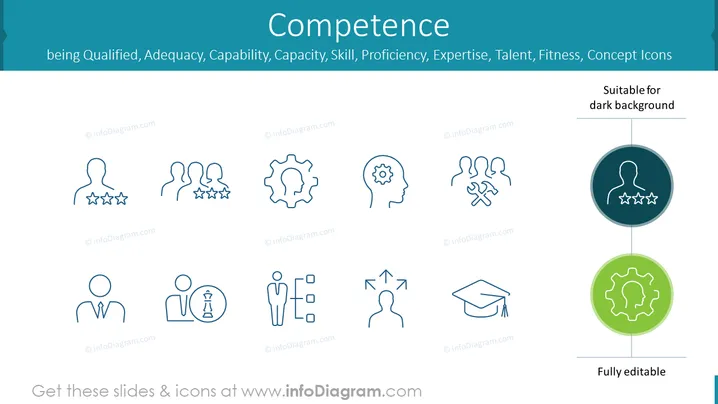
The slide seems to represent different aspects or indicators of competence, featuring icons that represent various traits or qualifications associated with being competent. Each icon on the slide is associated with a particular quality such as being qualified, having adequacy, capability, capacity, skill, proficiency, expertise, talent, or fitness. These icons serve as visual metaphors for the corresponding concepts, making the slide visually engaging and aiding in the communication of abstract ideas.
Graphical Look
- The background color of the slide is a calm, professional shade of blue, with white and lighter blue elements for contrast.
- Nine distinct line icons are evenly distributed in a 3x3 grid, representing different concepts related to competence.
- Each icon is a simple, blue line drawing that encapsulates a specific characteristic of competence.
- The icons are annotated with a light blue tag on which darker blue stars are placed on the left upper corner.
- Two circular icons are placed on the right side of the slide, overlapping a vertical line that differentiates them; one is shaded in darker blue indicating suitability for a dark background, the other in green indicating editability.
- The icon graphics include a gear(cogwheel) for capability, a human figure with stars for quality or skill level, two heads with a speech bubble and a cross for communication or incorrect communication, a bust with a gear for thought or expertise, a graduation cap for education or expertise, and other representational symbols.
- Beneat the icons, there's a text "Fully editable" in the bottom right corner, signifying that the slide's content is modifiable.
The overall look of the slide is clean and professional, with a consistent color scheme and clear, easy-to-interpret icons. The layout is balanced and organized, facilitating an easy understanding of the key concepts.
Use Cases
- This slide is ideal for human resources presentations to describe the desirable qualities of potential candidates or the criteria for employee evaluations.
- It can serve in training and development sessions to outline the core competencies required for specific roles or professional growth.
- In strategy meetings, this slide could be useful to explain the competencies a company needs to develop to achieve certain objectives.
- The slide may be used in educational settings to help students understand what competencies they should aim to acquire in their studies.
How to Edit
How to edit text & colors

How to expand / shorten diagram

How to Replace Icons in infoDiagram PPT


